
Crazy8s user manual
Everything on the Crazy8s player site, page by page: what each part of the screen is, what each button does, and what happens when you press it.
How to read the pictures. Each picture was taken on a phone. The yellow numbers on a picture match the numbered list under it. The yellow outline shows the exact part each number describes. On a computer the pages look the same, but wider, and the menu sits in a row along the top instead of under ☰.
What this manual does not cover: the rules of each game. Every game's own page explains its rules under How to play — see A game's page.
Money on Crazy8s is shown in emalangeni, written SZL (for example SZL 5.00, which is E5). Crazy8s is for people aged 18 and over. Staking real money can lose it — read Play responsibly in the footer of any page.
Contents
- Getting around — the top of every page, the menu, the footer
- Your account — creating one, signing in, a forgotten password, confirming your email, notifications, the emails Crazy8s sends
- Finding a game — the home page and the Games page
- A game's page — the three ways to play, and where the rules are
- Playing a match against a person — waiting, playing, video, giving up, the result
- Pools — entering, playing a run, seeing where you came
- Practice — free runs on your own
- Tournaments — the nightly tournaments and their leaderboards
- Game of the Week — a free daily contest with cash prizes
- Your wallet — adding money, withdrawing, your history
- Refer and earn — your link, and what it pays
- Your standing — league, level, streak, trophies and goals
- Information pages
- When something goes wrong
- Words used on Crazy8s
1. Getting around
The top of every page
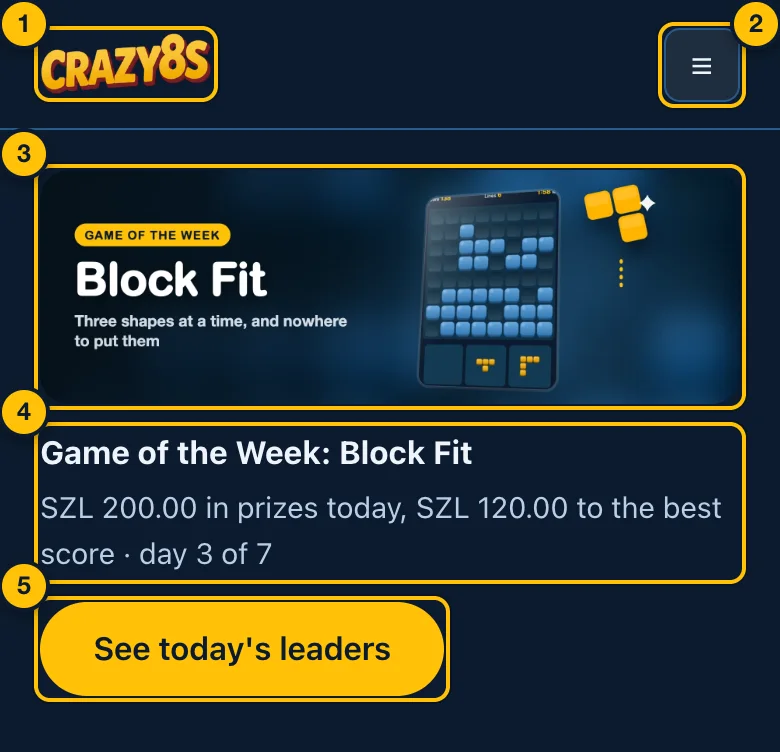
- The Crazy8s logo. Tap it on any page to go back to the home page.
- The menu button (☰). Opens the list of pages, shown below. On a computer the pages are listed along the top instead, and there is no ☰.
- The Game of the Week banner. Only shown while a Game of the Week is running. Tap it to open the Game of the Week page.
- This week's game and today's prizes. For example: Game of the Week: Block Fit — SZL 200.00 in prizes today, SZL 120.00 to the best score · day 3 of 7.
- See today's leaders. Opens the Game of the Week page, with today's best scores.
The menu, before you sign in
Tap ☰ to open it, and ✕ to close it.
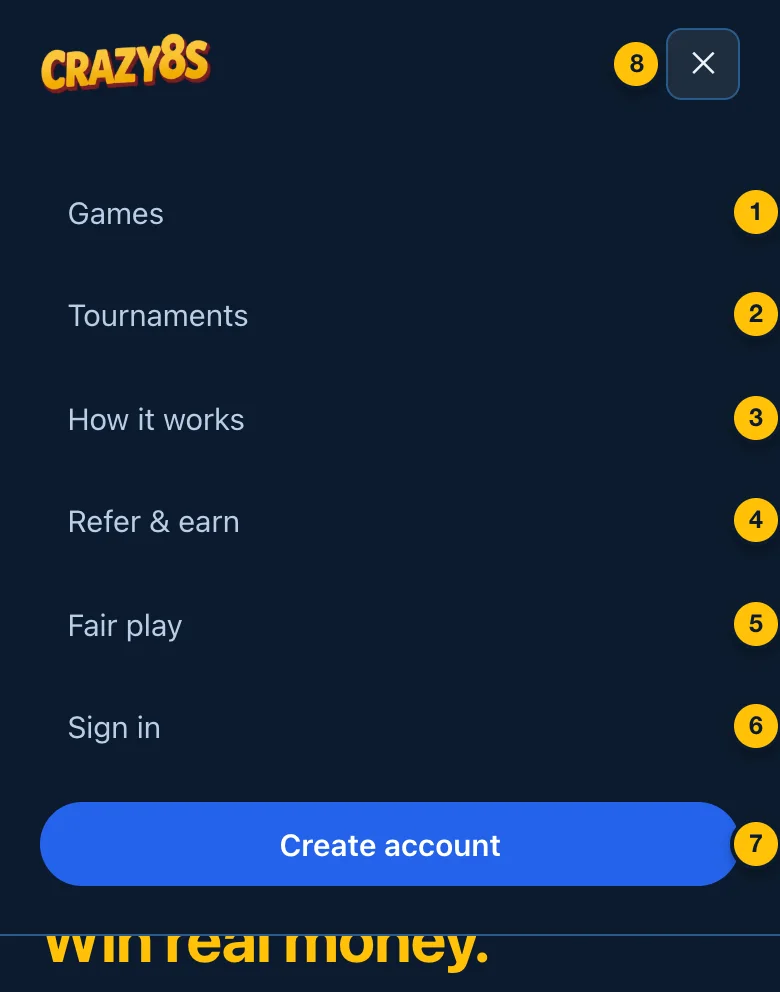
- Games — every game on Crazy8s (Finding a game).
- Tournaments — tonight's tournaments (Tournaments).
- How it works — a short explanation of the platform.
- Refer & earn — the referral programme (Refer and earn).
- Fair play — how games are kept honest.
- Sign in — for an account you already have (Signing in).
- Create account — make a new account (Creating an account).
- ✕ — closes the menu.
The menu, once you are signed in
Signed in, the menu is about playing and your money. How it works and Fair play move to the footer.
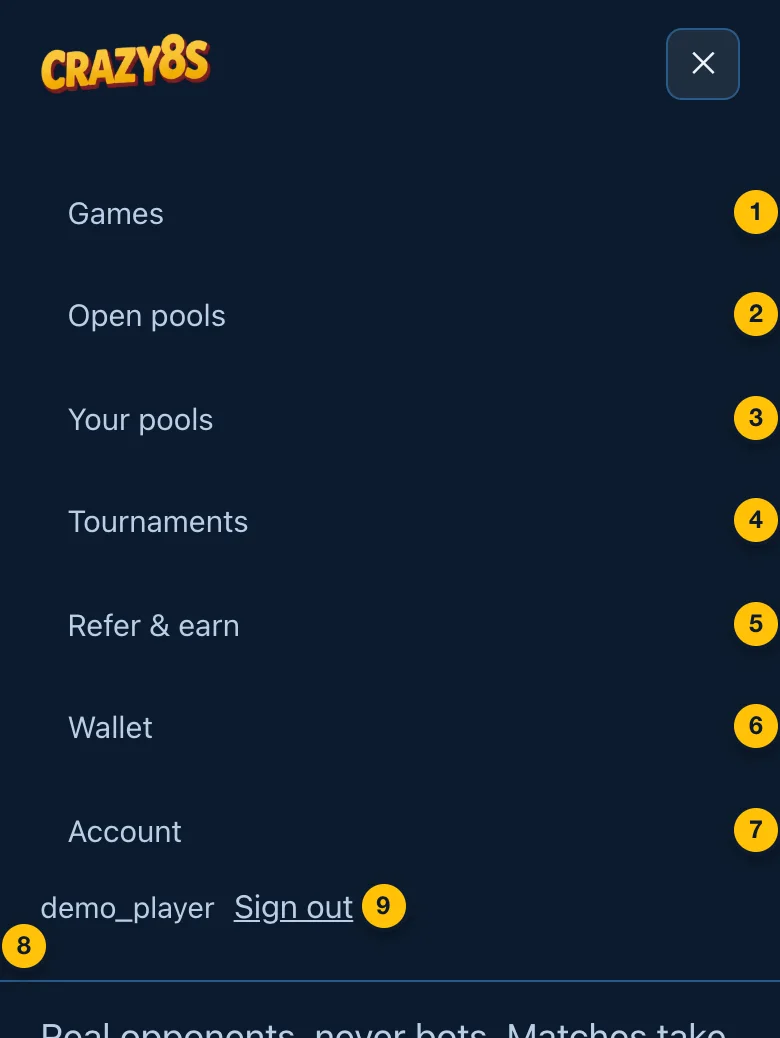
- Games — every game on Crazy8s.
- Open pools — pools waiting for more players (Open pools).
- Your pools — every pool your scores are in (Your pools).
- Tournaments — tonight's tournaments.
- Refer & earn — your referral link and earnings.
- Wallet — your balance, adding money, withdrawing (Your wallet).
- Account — your email and notifications (Your account page).
- Your display name — the name other players see. Shown so you can tell which account you are signed in to.
- Sign out — signs you out on this device.
The footer
At the bottom of every page (except while a game fills the screen).
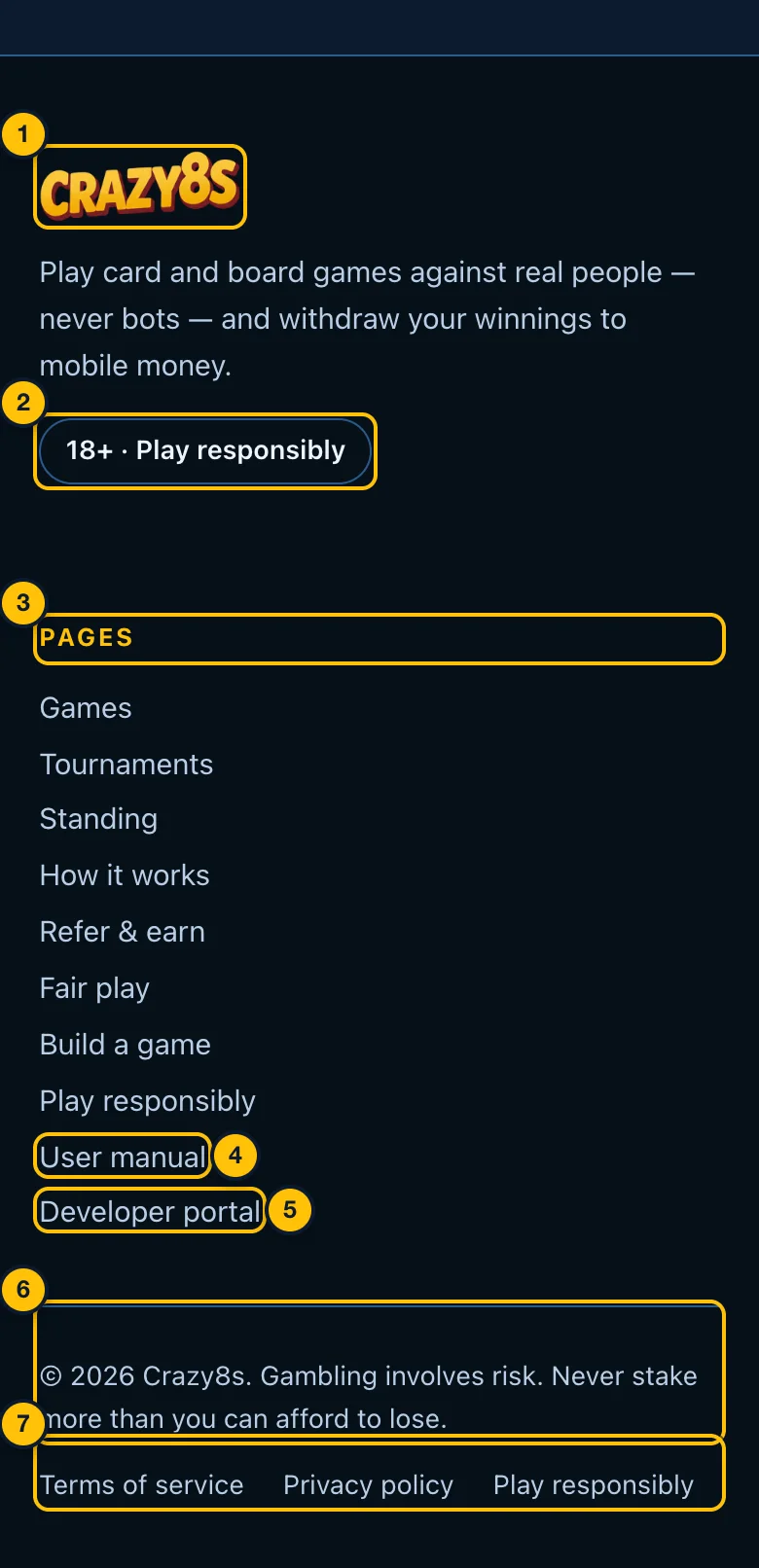
- The Crazy8s logo and a one-line description of the platform.
- 18+ · Play responsibly — Crazy8s is only for adults.
- Pages — every page of the site: Games, Tournaments, Standing, How it works, Refer & earn, Fair play, Build a game, Play responsibly, and this manual. Standing (Your standing) is only listed here, not in the menu.
- User manual — this page.
- Developer portal — for people who build games for Crazy8s. Players do not need it.
- The copyright line and a reminder: gambling involves risk; never stake more than you can afford to lose.
- Terms of service, Privacy policy, Play responsibly — the agreements you accept when you create an account, and advice on keeping play under control.
If Crazy8s has social media accounts, their links appear under the description too.
2. Your account
You need an account to play anything, including free practice. It is free.
Creating an account
Open the menu (☰) and tap Create account.
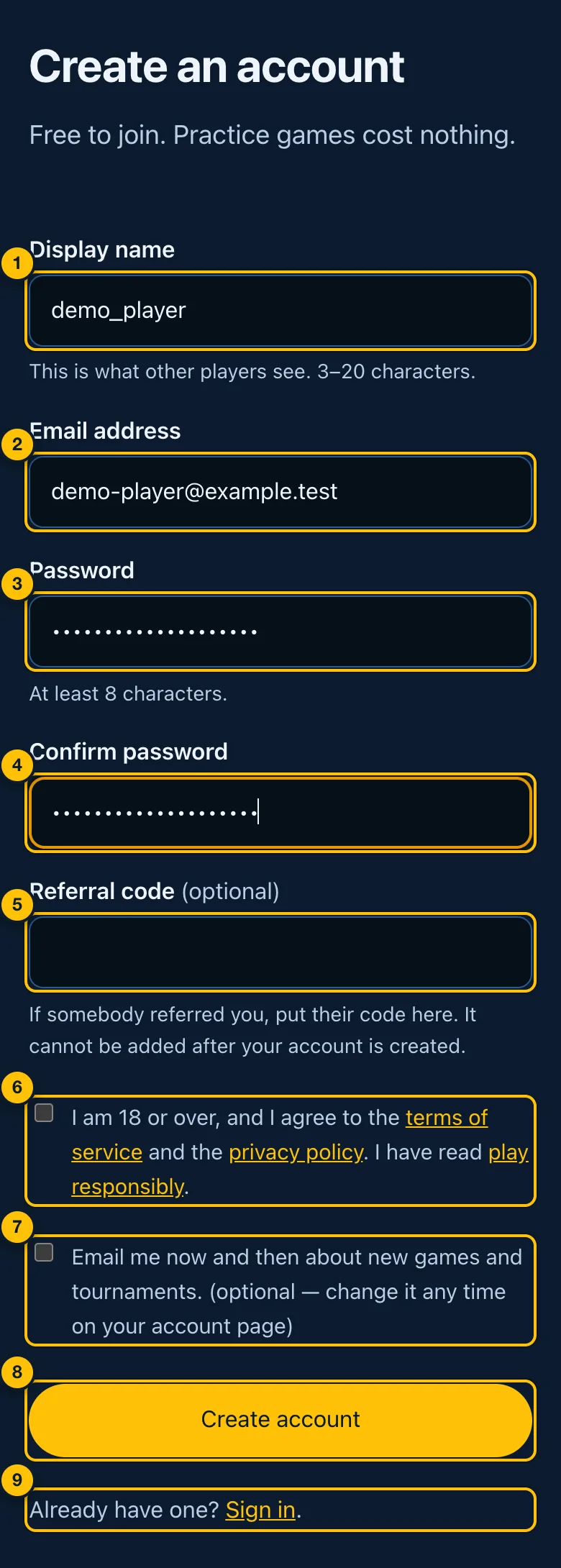
- Display name — what other players see, for example on leaderboards and
in a match. 3 to 20 characters: letters, numbers,
_and-. - Email address — where receipts and account notices are sent. You sign in with it.
- Password — at least 8 characters.
- Confirm password — type the same password again.
- Referral code (optional) — if somebody referred you, their code goes here. It cannot be added later, so fill it in now if you have one.
- The agreement — tick it to confirm you are 18 or over and accept the terms of service and privacy policy. You cannot create an account without it. The links open each document in a new tab.
- News by email (optional) — tick it to get occasional emails about new games and tournaments. You can change it later on your account page.
- Create account — creates the account and signs you in.
- Already have one? Sign in — go to the sign-in page instead.
If a red message appears above the form, the account was not created. It says what to fix (for example, a display name that is taken, or passwords that do not match). Change that and tap Create account again.
If you opened somebody's referral link, their code is already filled in:
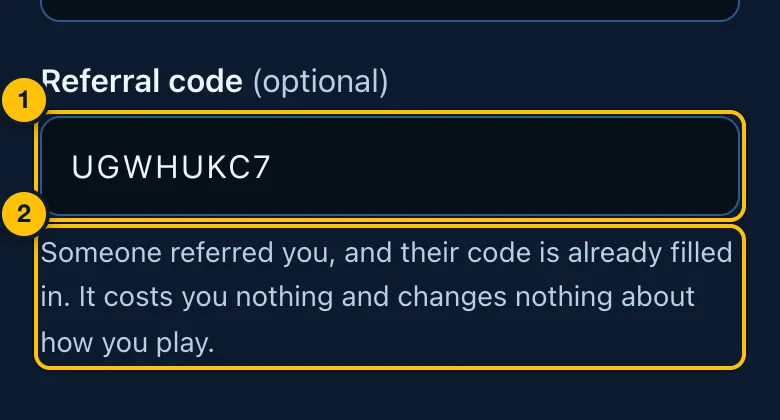
- The code from the link. Leave it as it is.
- What it means for you: nothing changes about how you play or what you win. It costs you nothing.
Signing in
Open the menu (☰) and tap Sign in.
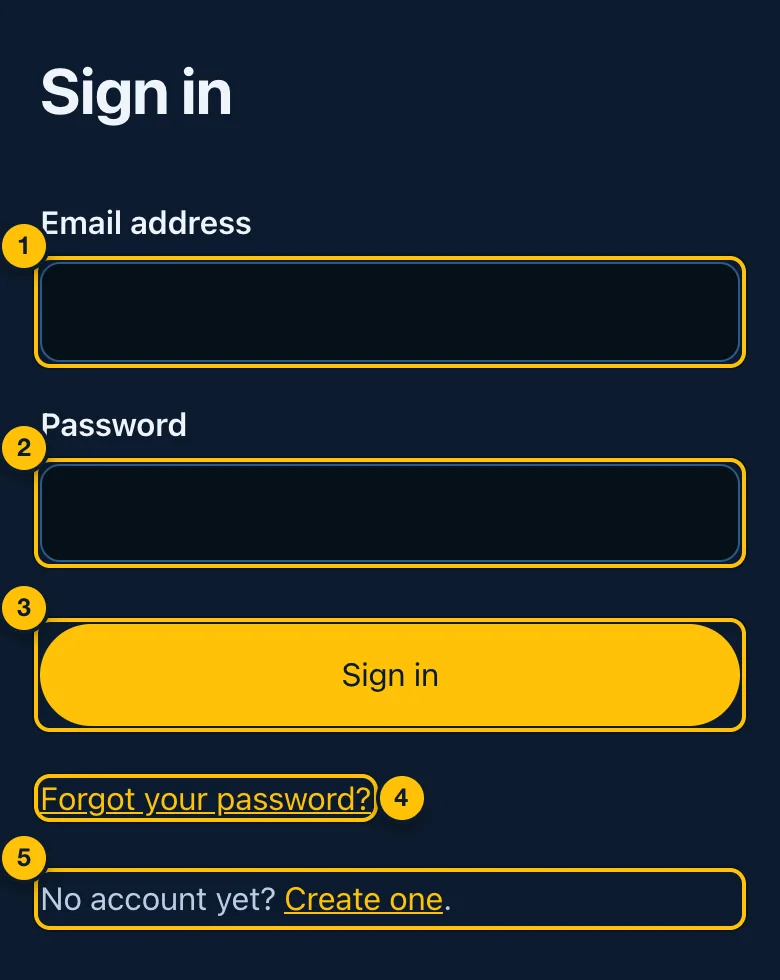
- Email address — the one you signed up with.
- Password.
- Sign in — signs you in and takes you to the page you were trying to open, or to the Games page.
- Forgot your password? — get an email to choose a new one (Forgotten password).
- No account yet? Create one — go to Creating an account.
Forgotten password
On the sign-in page, tap Forgot your password?
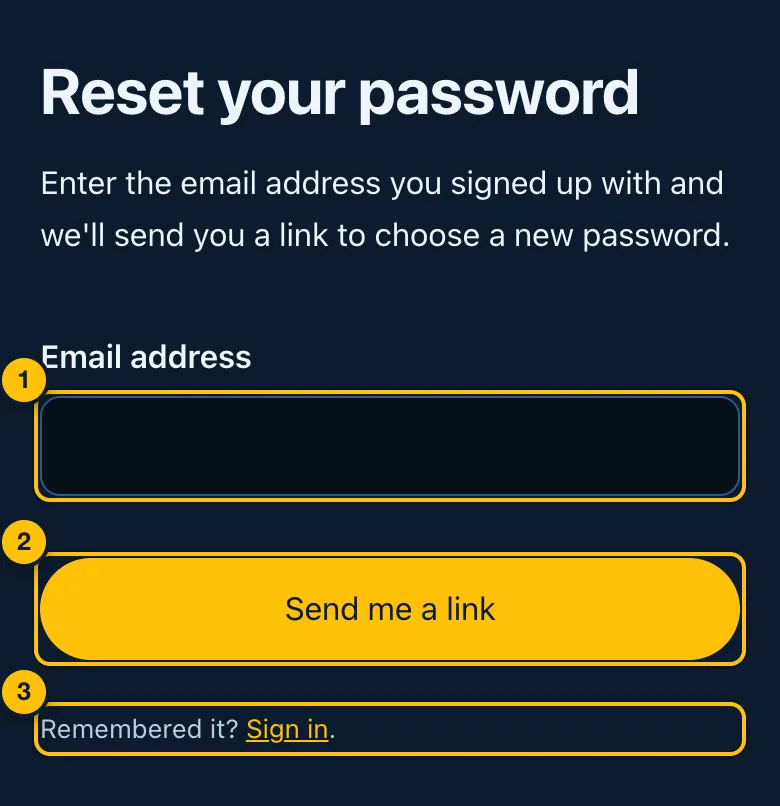
- Email address — type the address you signed up with.
- Send me a link — emails you a link to choose a new password.
- Remembered it? Sign in — back to the sign-in page.
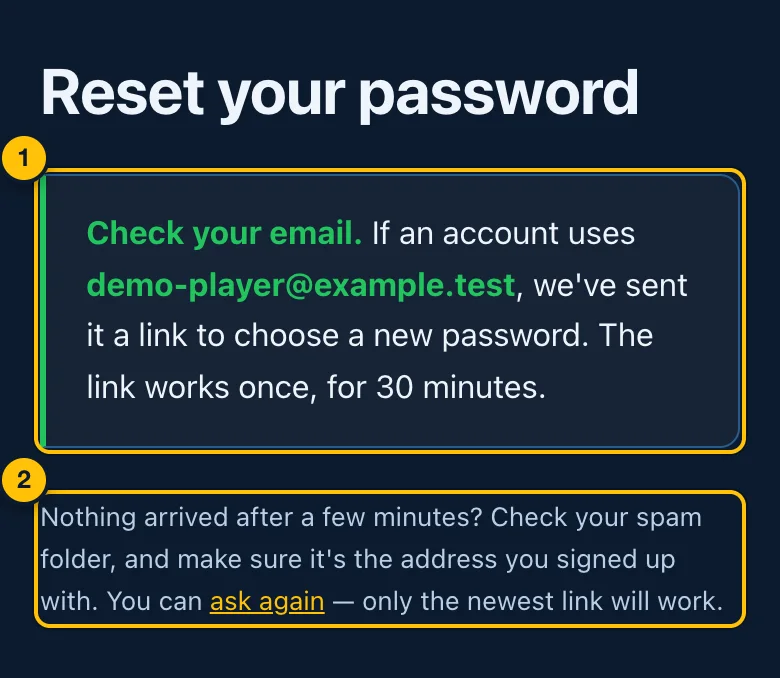
- Check your email. If an account uses that address, an email with a link is on its way. The link works once, for 30 minutes. The page says the same thing whether or not an account uses that address, so nobody can use it to find out who has an account.
- Nothing arrived? Check your spam or junk folder, and make sure it is the address you signed up with. ask again sends a new link; only the newest link works. If you ask more than three times in an hour, no more links are sent until the hour is up.
Open the email and tap its link. It opens this page:
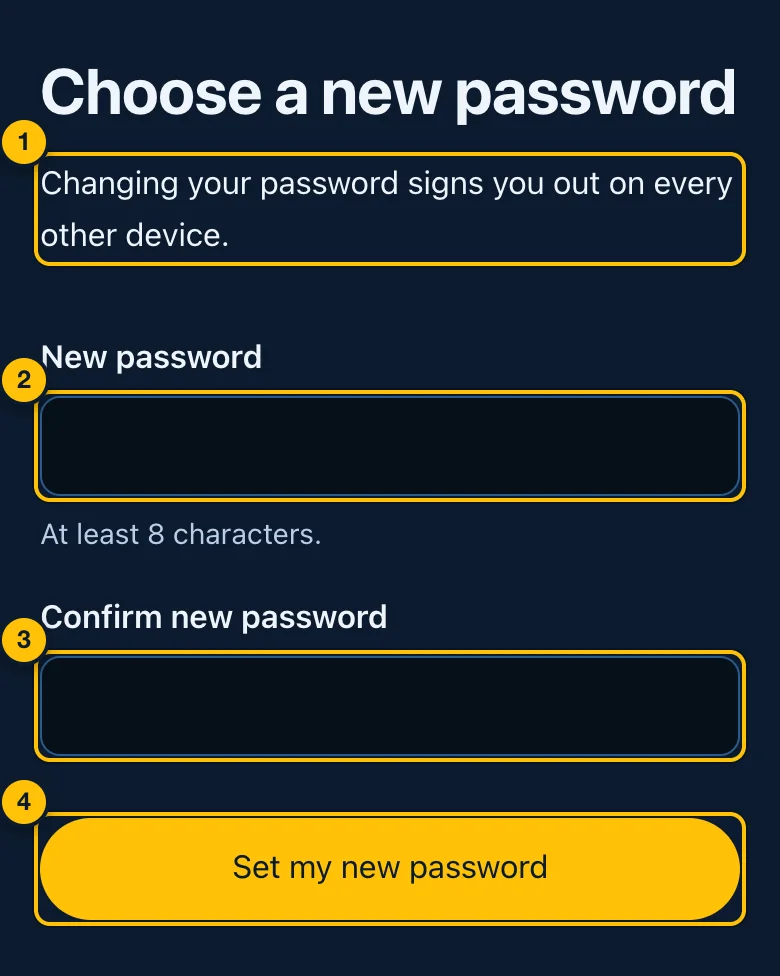
- What happens — changing your password signs you out on every other device (phones, tablets, computers you were signed in on).
- New password — at least 8 characters.
- Confirm new password — type it again.
- Set my new password — saves it. Setting a new password this way also confirms your email address, if it was not confirmed yet: the link reached you there.
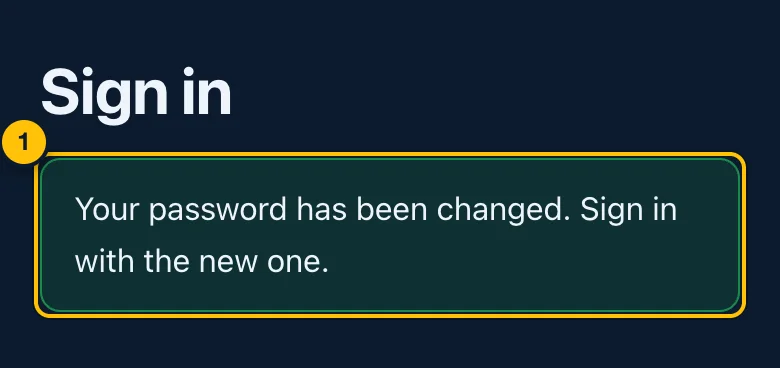
- Your password has been changed. Sign in with the new one. An email, your password was changed, is also sent to you, so a change you did not make is one you hear about. If you get it and did not change your password, write to support@crazy8s.live at once.
If the link has expired or was already used, the page says so instead:
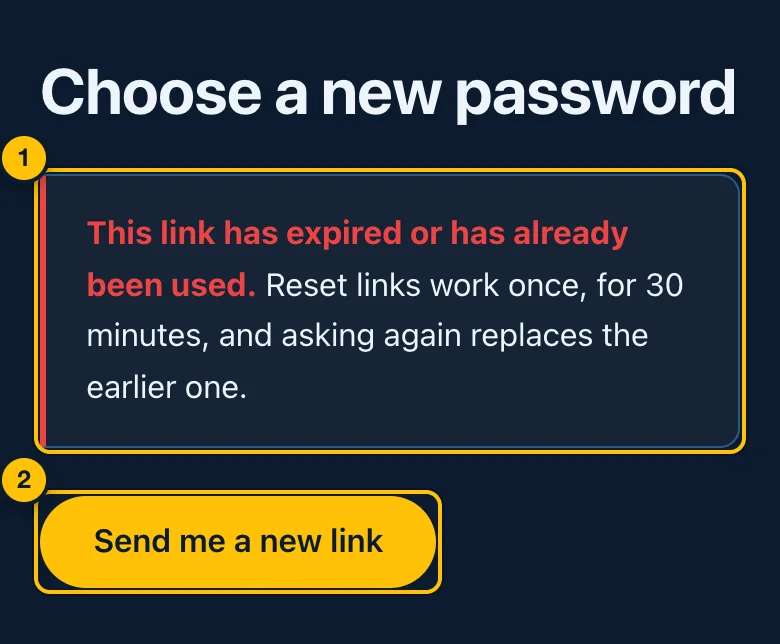
- This link has expired or has already been used. Links work once, for 30 minutes, and asking again replaces the earlier one.
- Send me a new link — back to the form to ask for another.
Confirming your email address
When you create an account, Crazy8s emails you a link to confirm your address. Confirm it: until you do, the only emails you get from Crazy8s are this one and password reset links — no receipts, no tournament reminders.
Your account page shows whether it is confirmed (open the menu ☰ and tap Account):
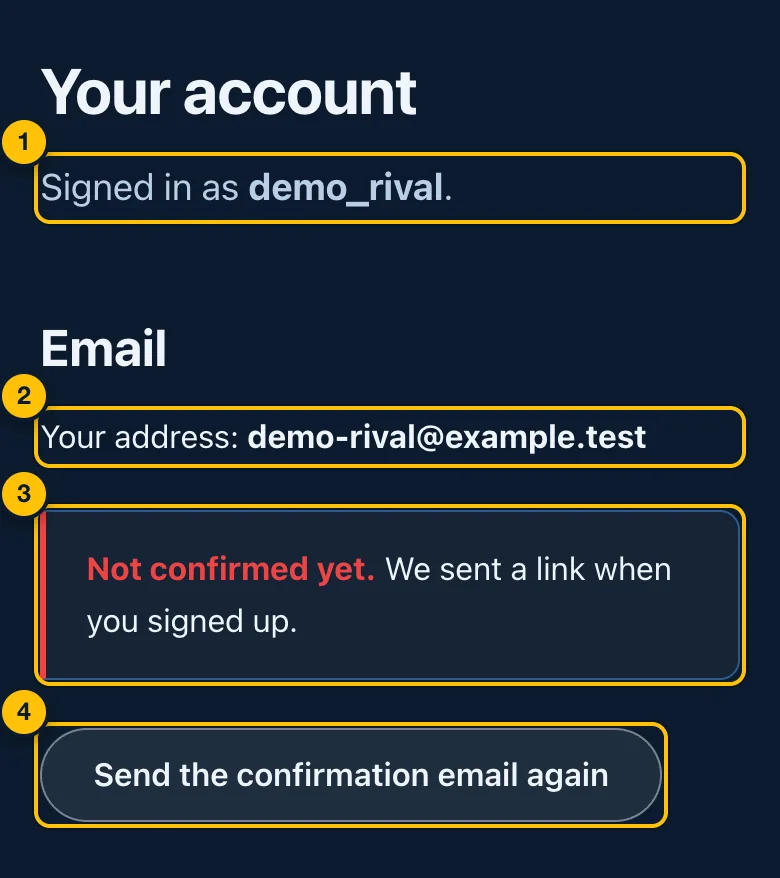
- Signed in as — your display name.
- Your address — the email address on your account. To change it, write to support@crazy8s.live from that address.
- Not confirmed yet — the link was sent when you signed up. If Crazy8s requires a confirmed address before you withdraw, this note says so too.
- Send the confirmation email again — sends a new link.
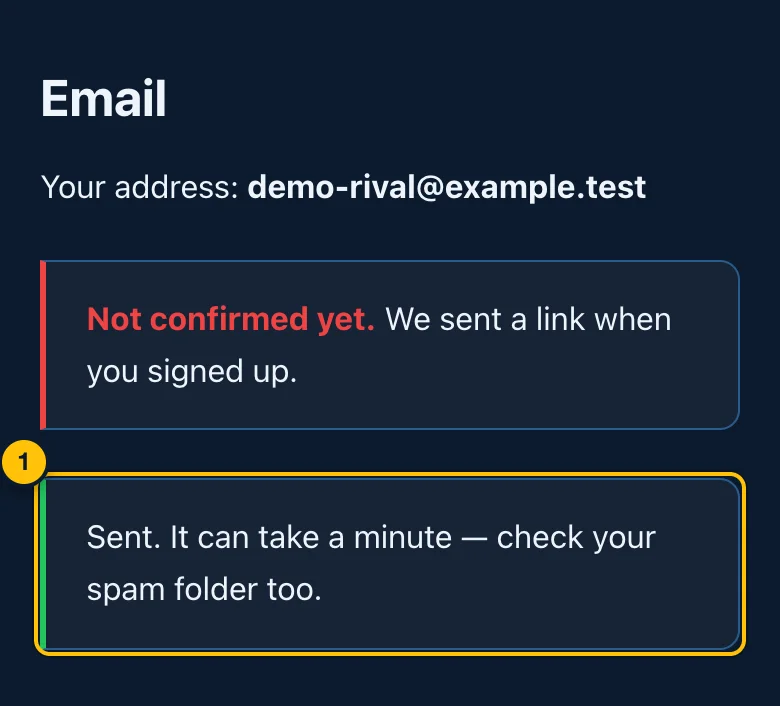
- Sent. It can take a minute — check your spam folder too. You can ask once every two minutes, and five times a day. If you ask sooner, the page says we've just sent one — give it a couple of minutes.
Open the email and tap its link:
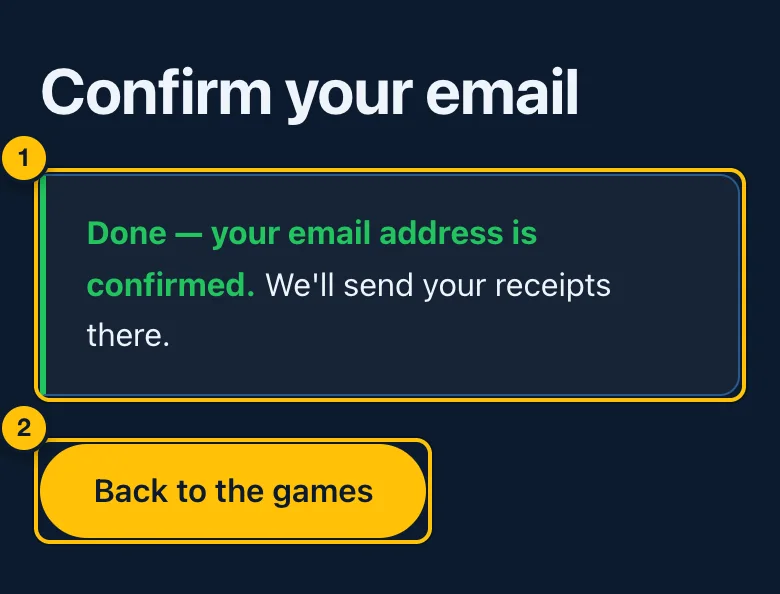
- Done — your email address is confirmed. Receipts will be sent there.
- Back to the games (or Sign in, if you opened the link on a device where you are not signed in).
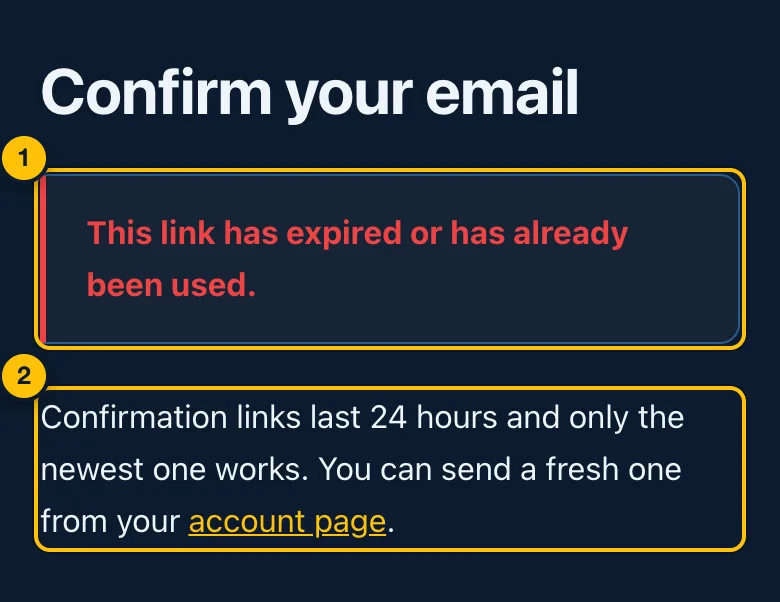
- This link has expired or has already been used.
- What to do — confirmation links last 24 hours and only the newest one works. Send a fresh one from your account page.
Once it is confirmed, the account page says so:
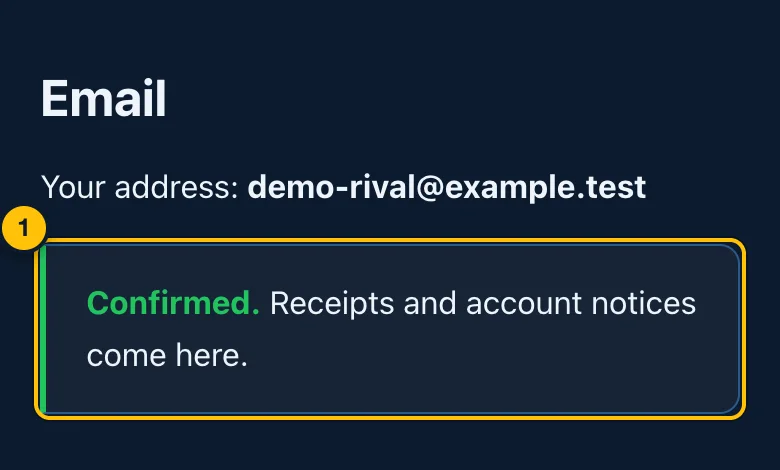
- Confirmed. Receipts and account notices come here.
If emails to your address bounce, the account page says Emails to this address are bouncing and Crazy8s stops sending to it. Write to support@crazy8s.live to change it.
The camera and microphone question
The first time you browse the site after signing in, you may be asked once whether to let Crazy8s use your camera and microphone. This is for seeing and hearing the person you are playing, if you both want to. It is only asked when video is switched on for the site.
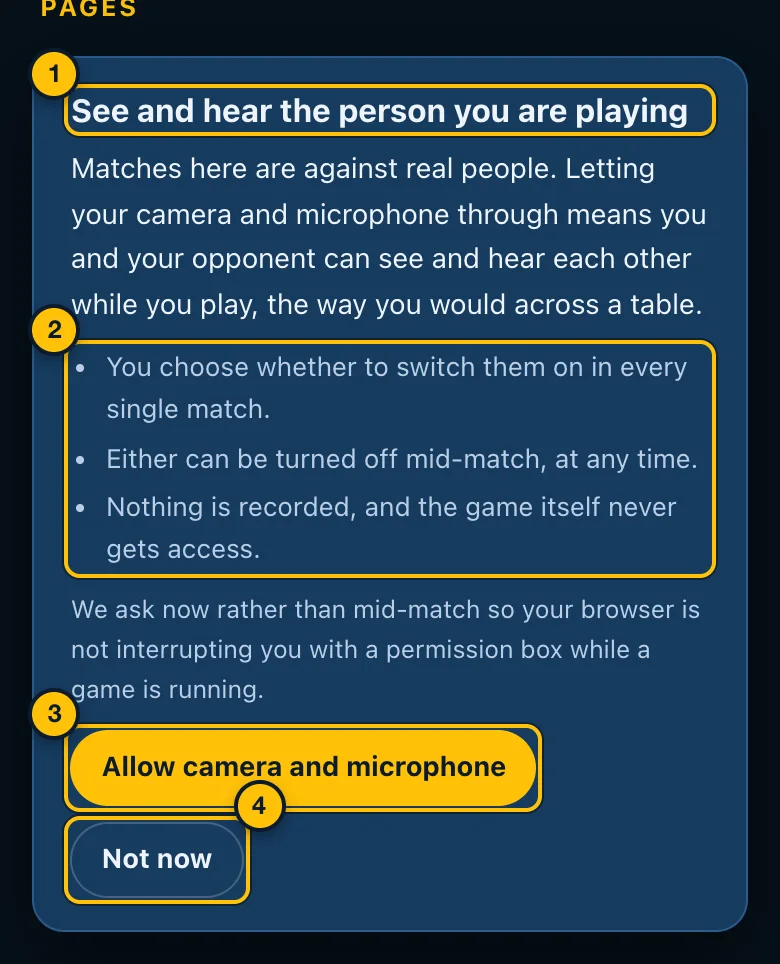
- What it is for — seeing and hearing your opponent, the way you would across a table.
- The promises: you choose in every single match whether to switch them on; either can be turned off at any time; nothing is recorded, and the game itself never gets access.
- Allow camera and microphone — your phone or browser then asks for permission. Say yes there too.
- Not now — you play without video. You are not asked again.
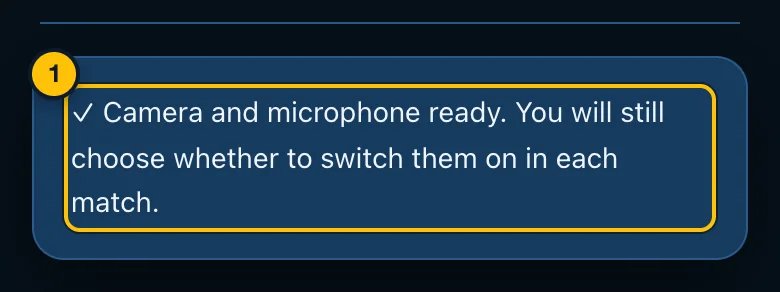
- Ready. Allowing it does not switch anything on. You still choose in each match. If you said no and change your mind, allow camera access from the icon in your browser's address bar.
Your account page
Open the menu (☰) and tap Account. The top of the page is your display name and email address (Confirming your email address). Under it are your notifications:
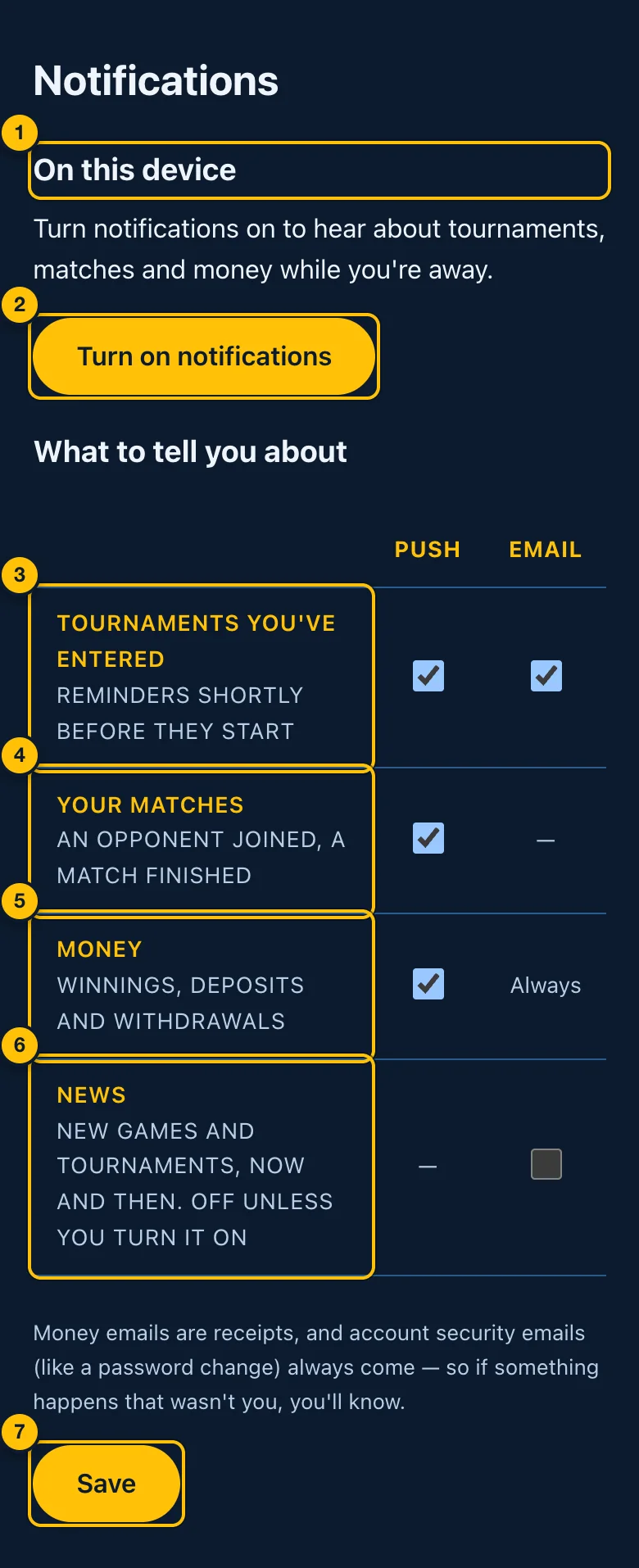
- On this device — notifications appear on your phone or computer even when Crazy8s is not open. This is set separately on each device.
- Turn on notifications — your browser asks for permission. Once on, the button reads Turn off on this device. On an iPhone, first add Crazy8s to your Home Screen (Share → Add to Home Screen) and open it from there.
- Tournaments you've entered — a reminder 15 minutes before a tournament you entered starts, by push notification and/or email.
- Your matches — an opponent joined, a match finished (push only).
- Money — winnings, deposits and withdrawals by push notification. Emails about money are receipts and always come (Always).
- News — occasional emails about new games and tournaments. Off unless you turn it on.
- Save — keeps your choices. Saved. appears when it worked.
Emails from Crazy8s
Emails come from Crazy8s (noreply@crazy8s.live). Replying reaches support@crazy8s.live. Apart from the first two below, they are only sent once your address is confirmed.
| Subject line | When it is sent | Can you turn it off? |
|---|---|---|
| Confirm your email for Crazy8s | When you create an account, and when you tap Send the confirmation email again. The link lasts 24 hours | No |
| Reset your Crazy8s password | When you ask on the Forgot your password? page. The link works once, for 30 minutes | No |
| Your Crazy8s password was changed | After your password is changed | No — it tells you if somebody else changed it |
| SZL 50.00 added to your Crazy8s balance | When a deposit reaches your balance | No — a receipt |
| We've received your withdrawal request for SZL 100.00 | When you ask for a bank withdrawal. It says when to expect the money, with a link to cancel while you still can | No — a receipt |
| Your withdrawal of SZL 20.00 has been paid | When a withdrawal (MoMo or bank) has been paid | No — a receipt |
| Your withdrawal of SZL 20.00 was not paid | When a withdrawal could not be paid, with the reason. The money is back in your balance | No — a receipt |
| Nightly Snake starts in 14 minutes | Up to 15 minutes before a tournament you entered starts, with a link to play | Yes — on your account page, or with the link in the email |
| News about new games and tournaments | Now and then | Yes — it is off unless you ticked it when signing up or on your account page |
The amounts, game and minutes above are examples; each email has your own. At most 10 receipts and reminders are sent to one address in a day. Security emails (the first three) are never held back.
Stopping tournament reminders from an email. Every reminder has a link to stop them. It opens this page:
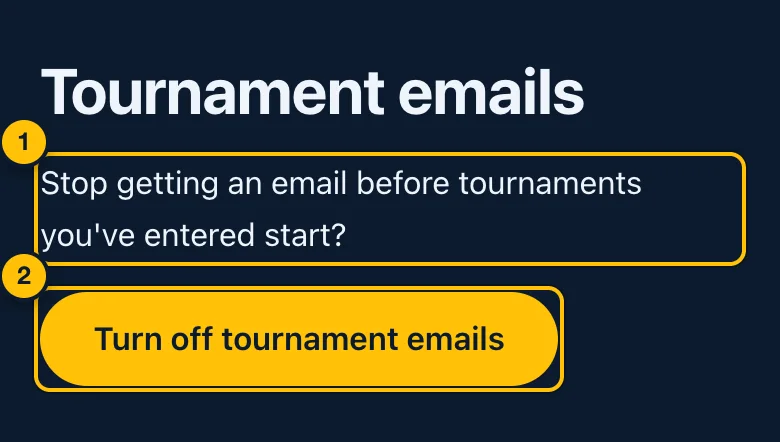
- The question — stop getting an email before tournaments you have entered start?
- Turn off tournament emails — done at once. The page then says We won't email you tournament reminders any more. Receipts and account security emails still come. Turn reminders back on from your account page.
3. Finding a game
The home page
Below the Game of the Week (if one is running):
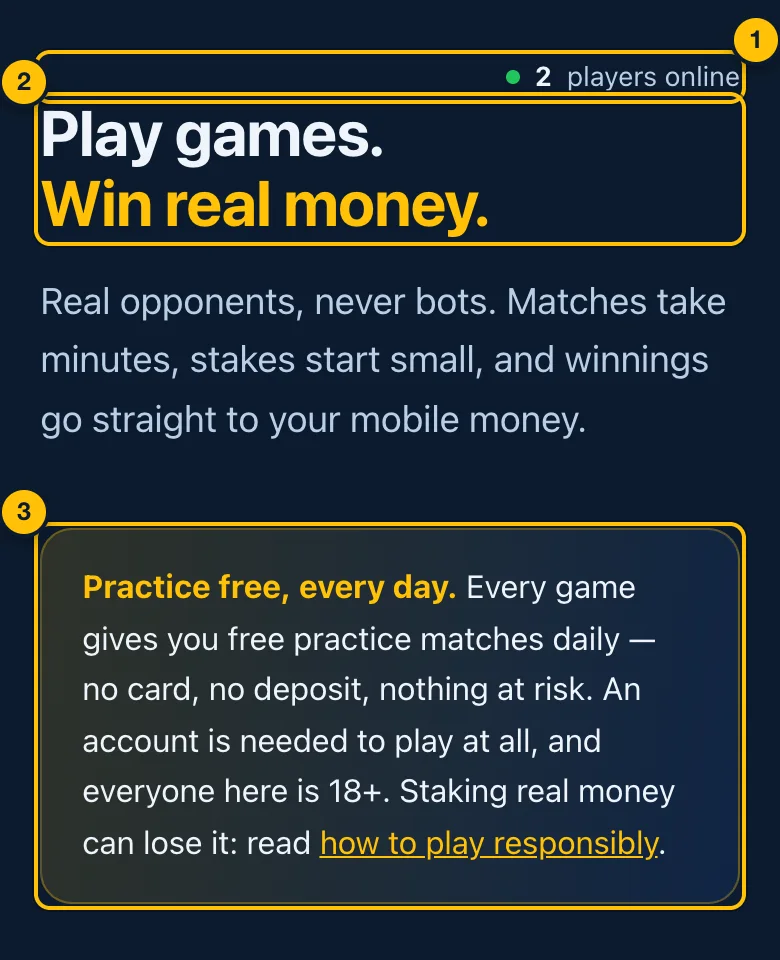
- Who is here — how many players are on the site now, and how many are in a match. It updates by itself. It is not shown if the number cannot be read.
- Play games. Win real money. — what Crazy8s is.
- Practice free, every day — every game has free practice. It needs an account, and nothing is at risk.
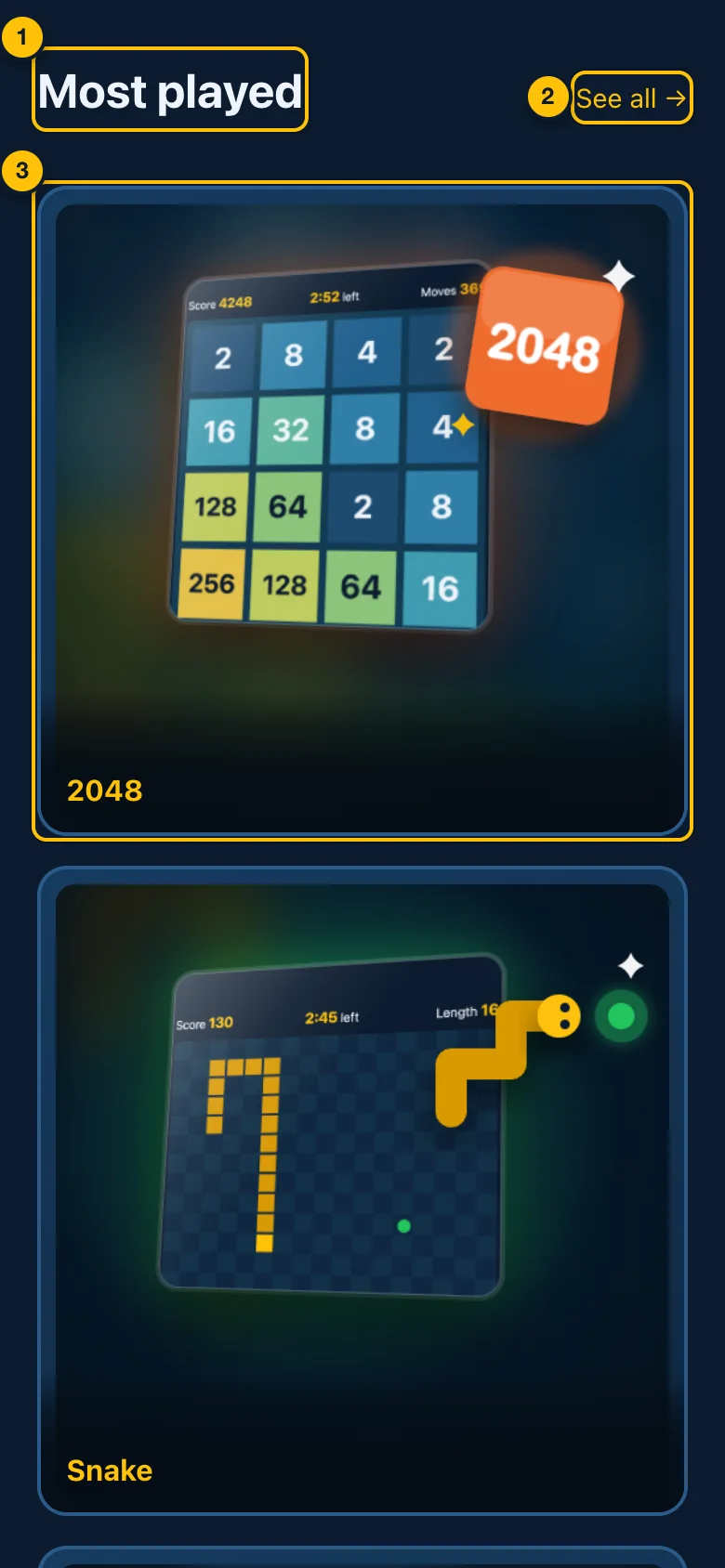
- A row of games — usually the most played.
- See all → — opens the Games page with every game.
- A game — tap it to open its page. A green dot with a number on a game means that many people are waiting to play it right now.
Further down are three short notes: Real opponents, Try before you stake and Withdraw to mobile money. Sometimes there are also announcements from Crazy8s (a card or a strip with a button).
The Games page
Open the menu (☰) and tap Games.
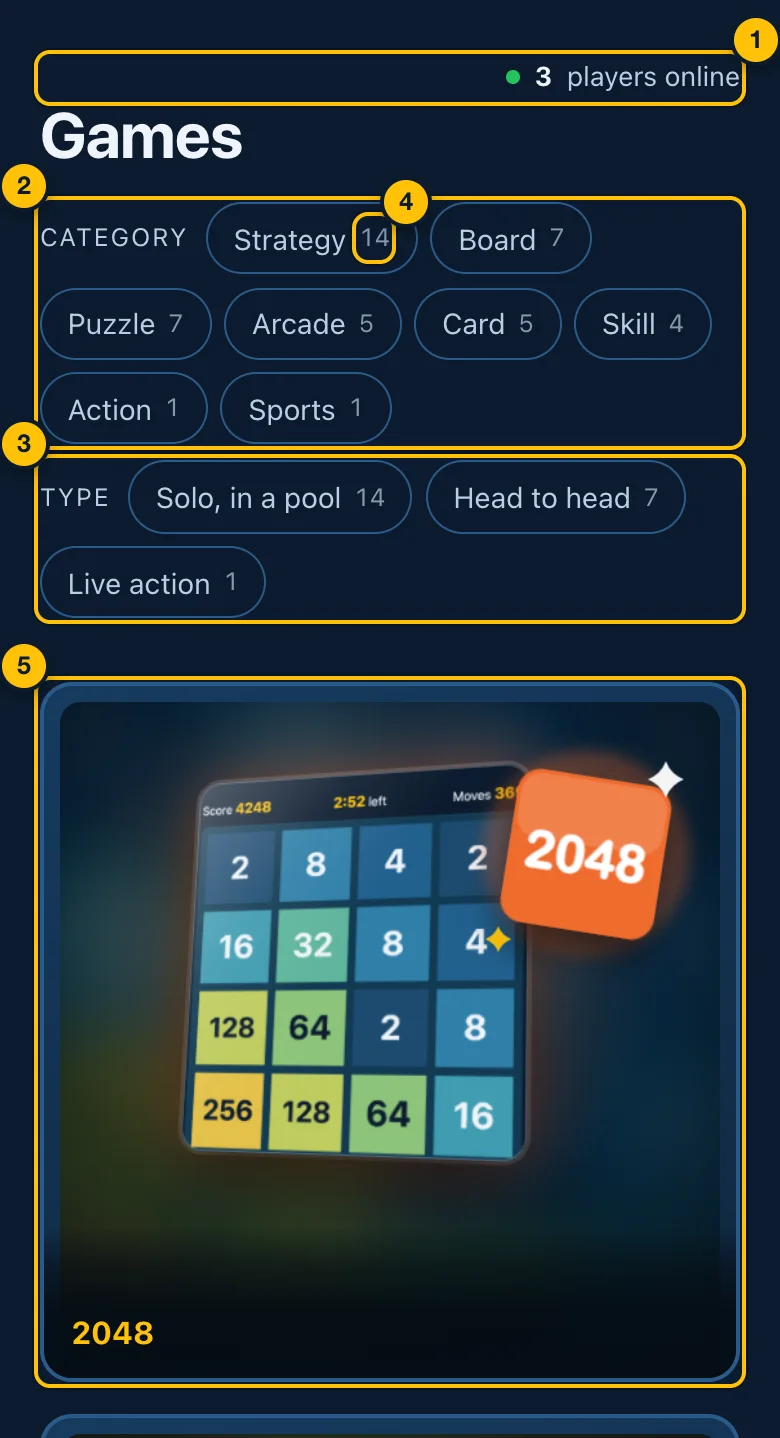
- Who is here — as on the home page.
- Category — a filter. Tap a category (Strategy, Board, Puzzle, Arcade, Card, Skill, Action, Sports) to show only those games.
- Type — a filter by how a game is played:
- Solo, in a pool — you play on your own; your score is ranked against other players' (Pools).
- Head to head — you play another person, live (Playing a match).
- Live action — a game that plays in real time on your device, like 8 Ball Pool.
- The number on a filter — how many games it would show.
- A game — tap it to open its page. A green dot with a number means that many people are waiting to play it now.
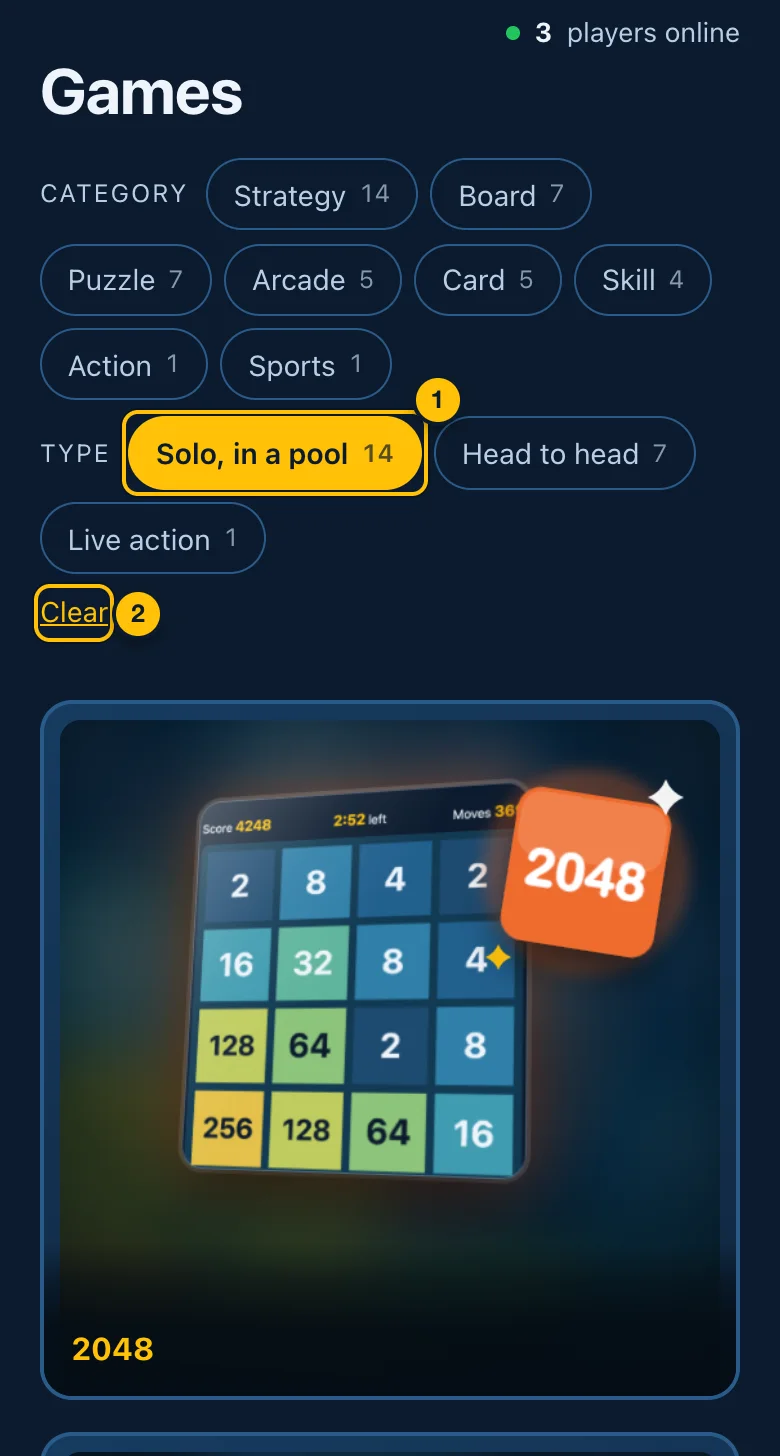
- A filter that is on is yellow. Tap it again to turn it off. You can use one category and one type at the same time.
- Clear — turns every filter off.
Games that are not out yet are listed under Coming soon, marked Soon. They cannot be opened yet.
4. A game's page
Tap any game to open its page. Everything about playing that game starts here.
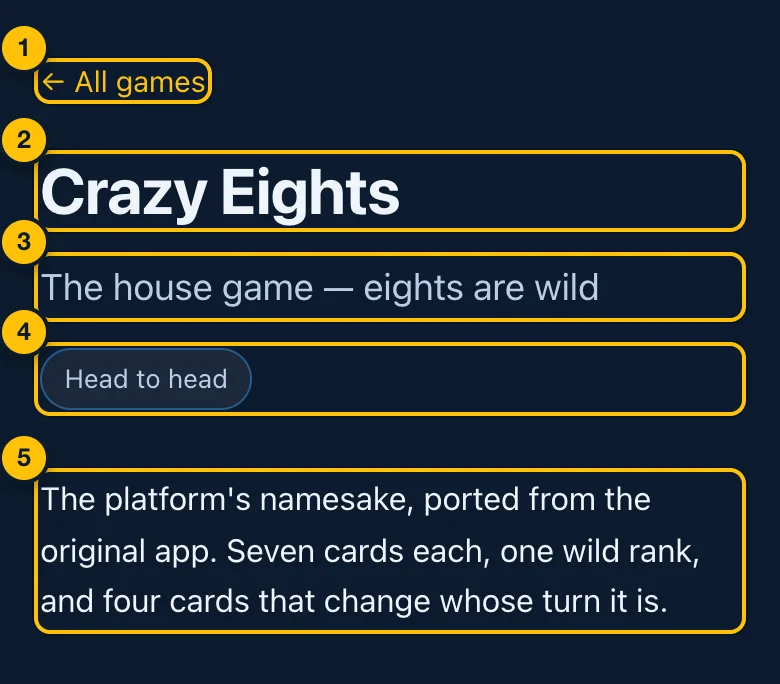
- ← All games — back to the Games page.
- The game's name.
- Its tagline.
- What kind of game it is (Head to head, Solo, in a pool or Live action), and how long a round takes, if it has a set length.
- A short description of the game.
Under this are the ways to play, then the rules. Which ways to play you see depends on the kind of game.
Head-to-head games: Play random opponent
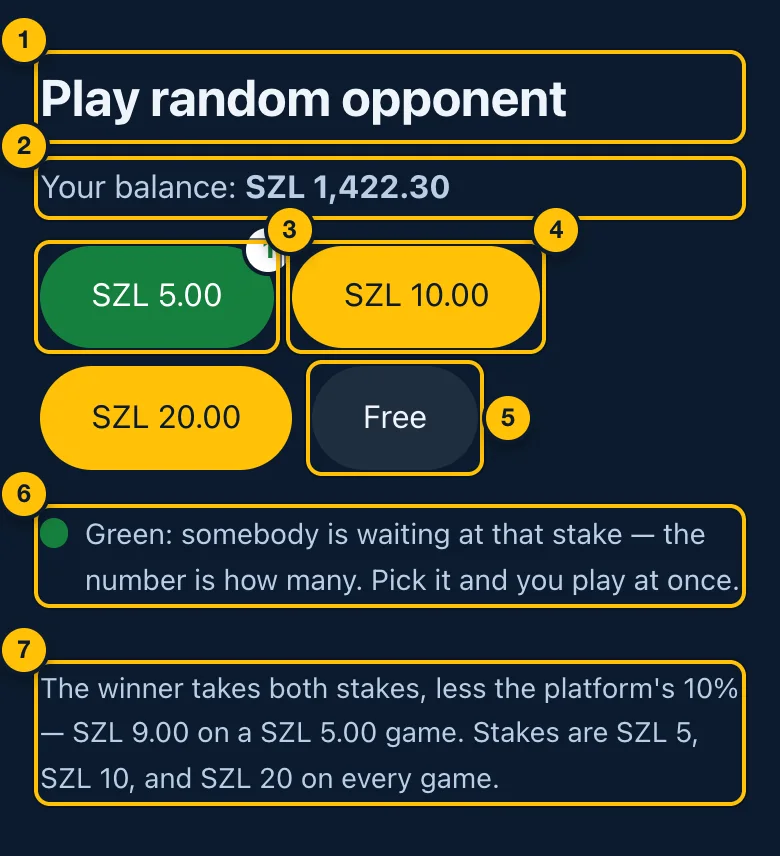
- Play random opponent — play whoever else is looking for a match at the same stake.
- Your balance — what you have to stake with.
- A green stake — somebody is already waiting at that stake. The number is how many. Tap it and your match starts straight away.
- A yellow stake — nobody is waiting yet. Tap it and you wait for an opponent (Waiting for an opponent). The stake is taken from your balance when you tap it, and given back if you leave before a match starts.
- Free — a match against a real person with no money at stake. It may also turn green when somebody is waiting.
- What green means — a reminder.
- What you can win — the winner takes both stakes, less the platform's 10%. For example, SZL 9.00 on a SZL 5.00 game. The stakes on every game are SZL 5, SZL 10 and SZL 20.
A stake you cannot afford is faded and cannot be tapped (holding the pointer over it says not enough balance). Add money first.
Head-to-head games: Play a friend
To play one particular person, both of you use the same code.
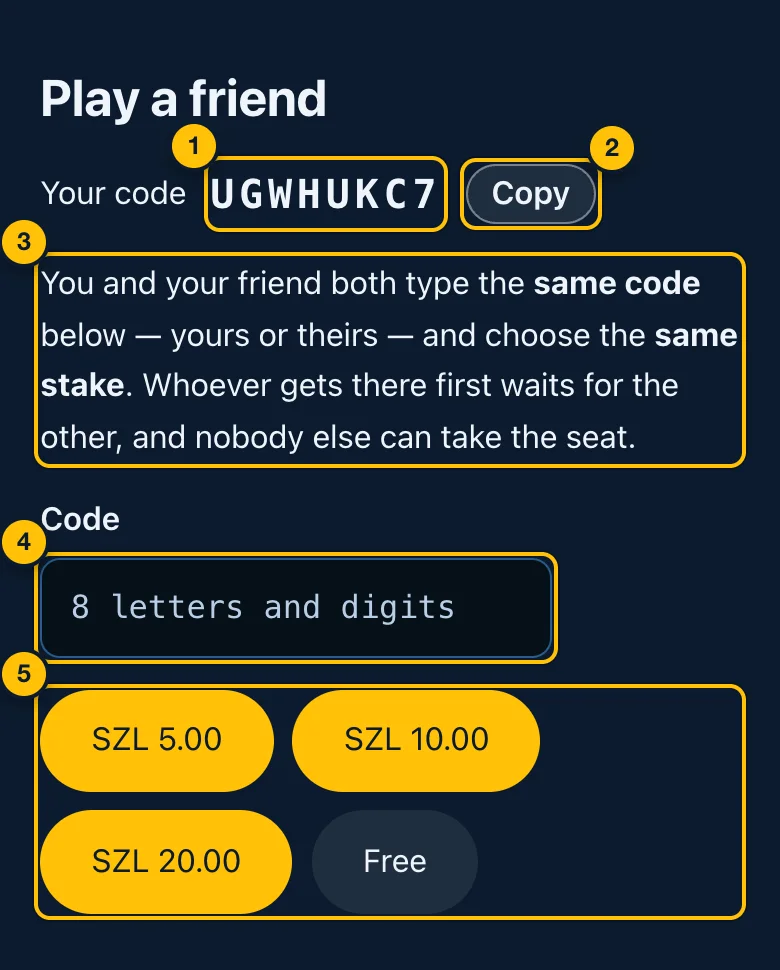
- Your code — eight letters and numbers. It is yours, and stays the same.
- Copy — copies your code so you can send it to your friend. It shows Copied. (Some browsers do not allow copying; then write it down.)
- How it works. You and your friend both type the same code — yours or theirs — and choose the same stake. Whoever gets there first waits for the other. Nobody else can take the seat.
- Code — type the code here: yours or your friend's.
- The stakes — tap the stake you agreed on. These buttons never turn green: who is waiting on a friend's code is nobody else's business.
Live action games: Practise against the computer
Some games, like 8 Ball Pool, also let you play the computer.
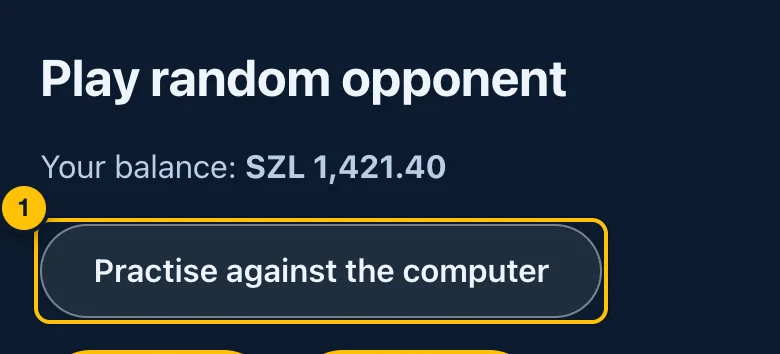
- Practise against the computer — a free game on your own, against a computer player. Nothing is staked.
Solo games: Enter a pool
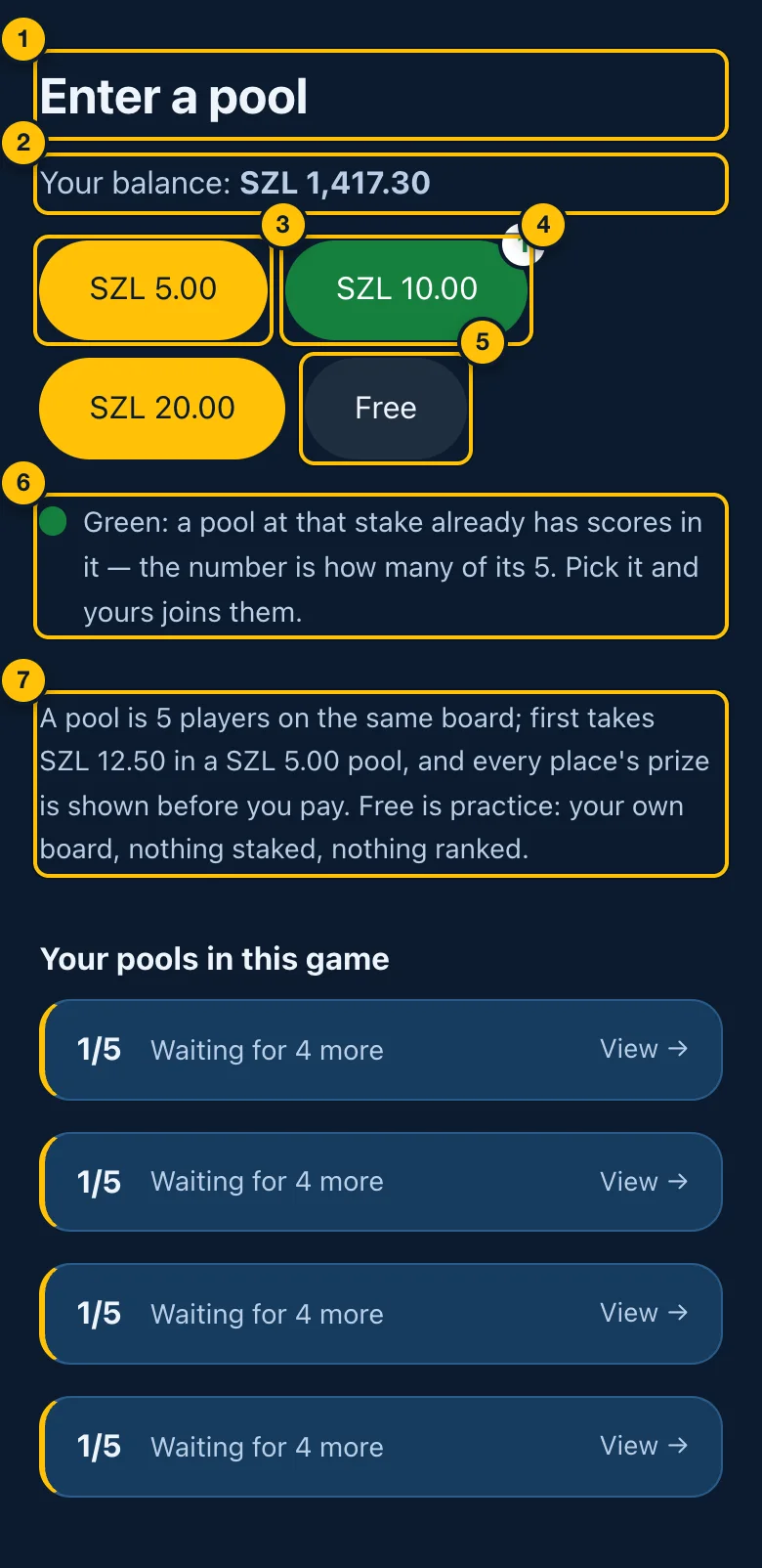
- Enter a pool — play on your own, and your score is ranked against other players who played the same board (Pools).
- Your balance.
- A yellow stake — nobody has a score in a pool at this stake yet; yours would be the first. Tapping a stake does not charge you. It opens the pool's prize screen, where you see every prize first and then decide.
- A green stake — a pool at this stake already has scores in it. The number is how many, out of 5. Pick it and your score joins them.
- Free — practice: your own board, nothing staked, nothing ranked.
- What green means — a reminder.
- How a pool works, in a line — 5 players on the same board, and what first place takes at the lowest stake.
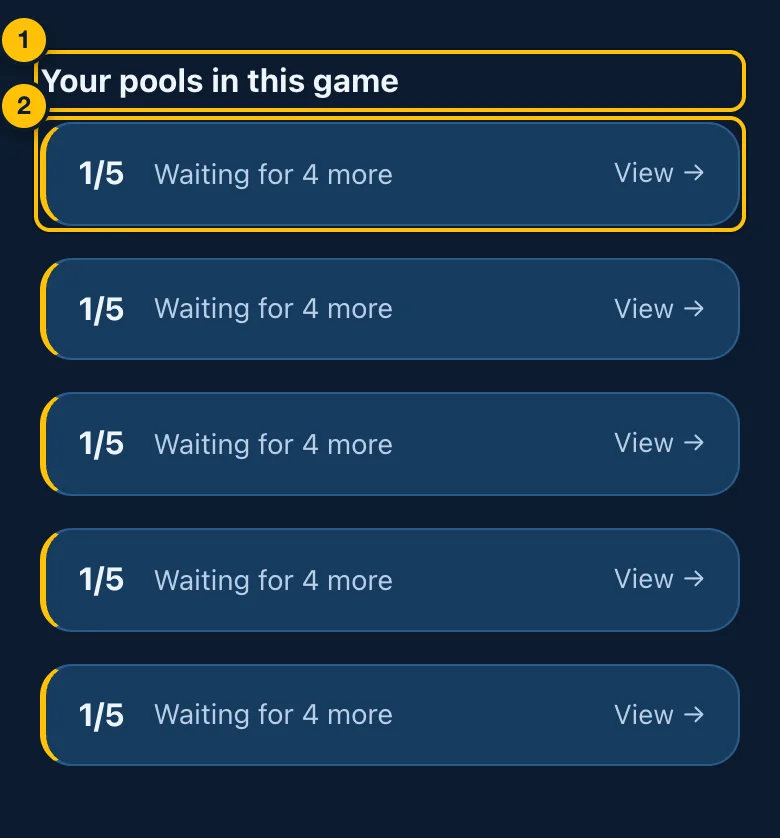
- Your pools in this game — appears when you have scores in pools of this game that have not paid yet.
- One pool — 1/5 means 1 of its 5 scores is in. Waiting for 4 more, or Full — being paid. Tap View → to see the pool.
Where the rules are
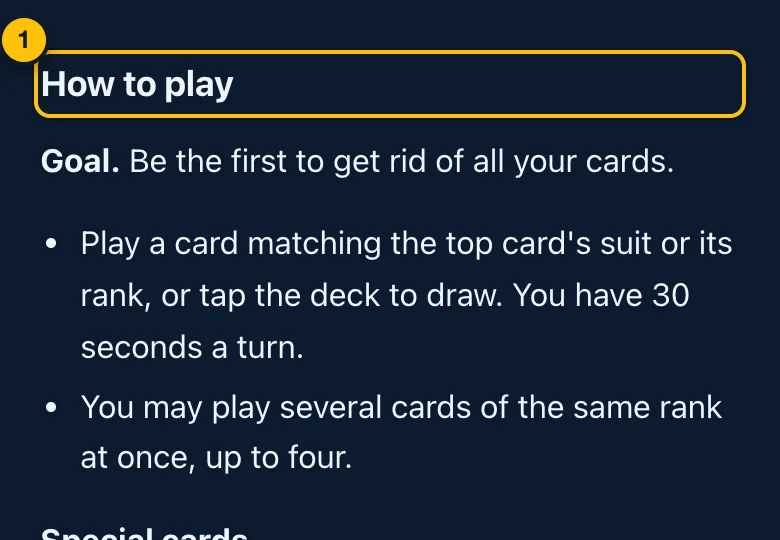
- How to play — the rules of this game, then the rules every match (or every pool) follows: timing, leaving, refunds and draws. Read them before you play a game for the first time. They are below the ways to play, so once you know a game you never need to scroll past them.
5. Playing a match against a person
A match fills the screen. The menu and footer are hidden until it ends.
Waiting for an opponent
If nobody was waiting at your stake, you wait for somebody to arrive.
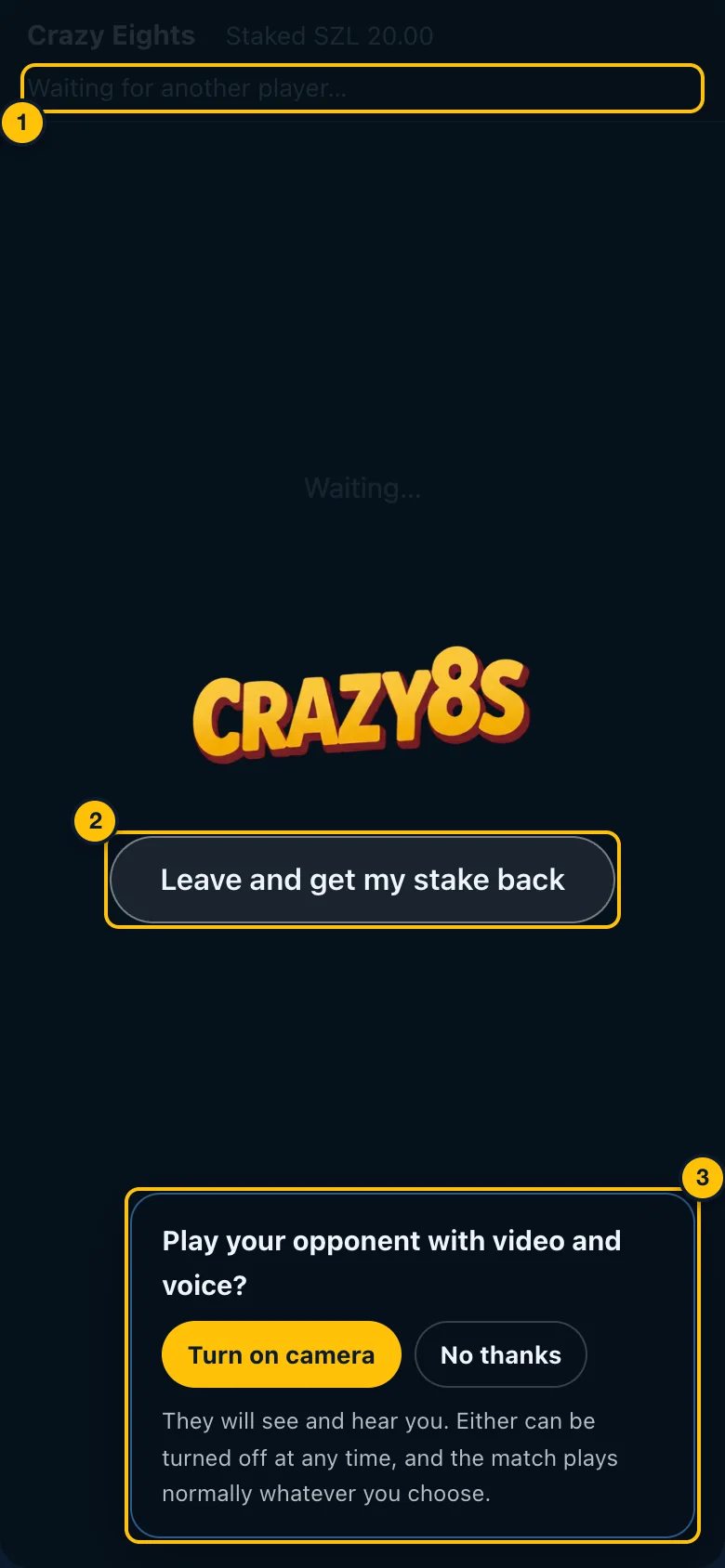
- Waiting — Waiting for another player…, or Waiting for your friend on a friend's code. You can leave the page open. The match starts by itself when somebody joins.
- Leave and get my stake back — stop waiting. Your stake goes back into your balance.
- The video question — see Video and voice. It can be answered while you wait.
During the match
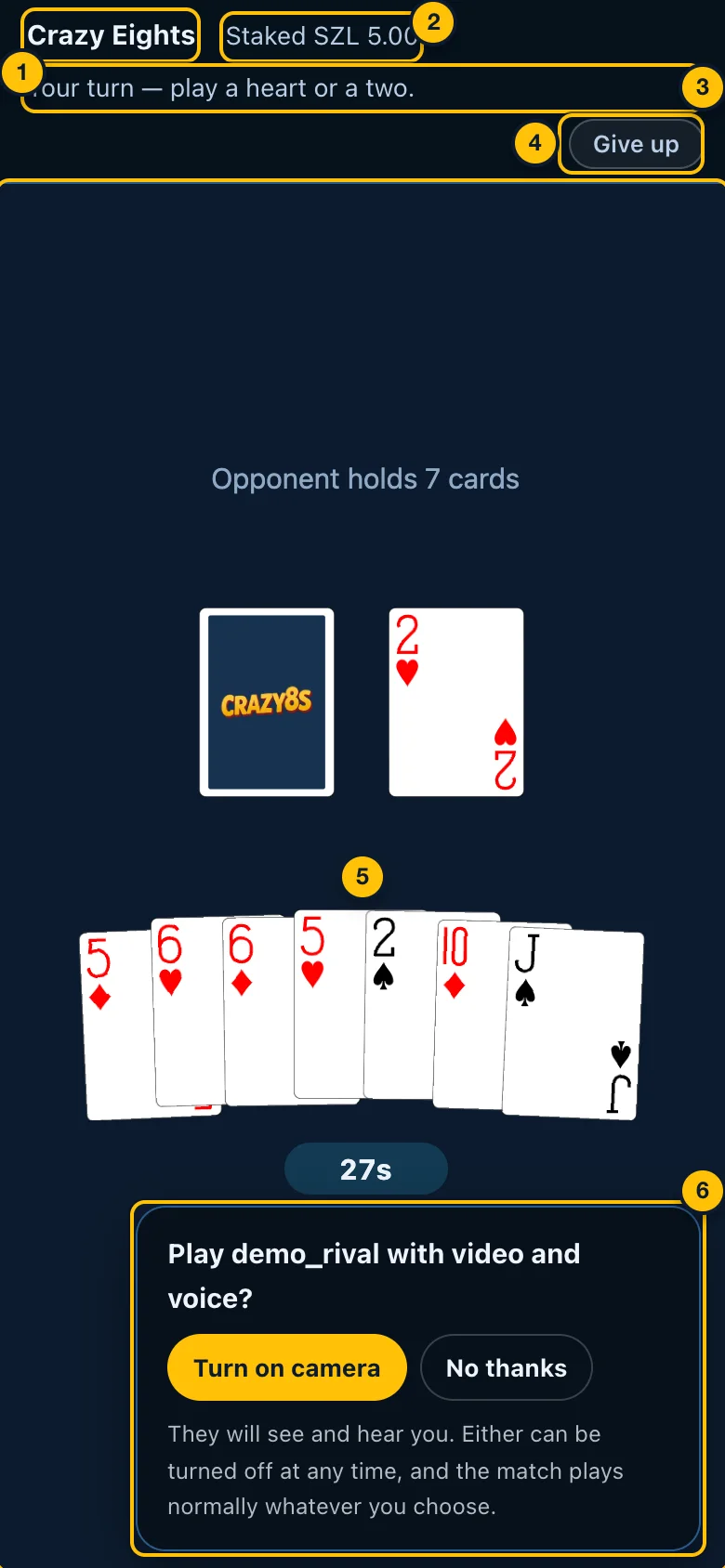
- The game's name.
- The stake — Staked SZL 5.00, or Practice — no money at stake.
- The status line — what is happening now: whose turn it is (Your turn — …, Your opponent is thinking…), or a connection message (see below).
- Give up — leave the match. It asks first (Giving up).
- The board — the game itself. How to play it is on the game's page under How to play.
- The video question — whether to play with video and voice.
If your connection drops, the status line says Connection lost — reconnecting (attempt 1 of 4)… and the page reconnects by itself. Your seat is held for 30 seconds. Keep the page open.
If your opponent's connection drops, it says Your opponent's connection dropped. The match waits up to 30 seconds for them to come back. If they do not come back in time, you win.
Video and voice
Only when video is switched on for the site. The match plays the same whether or not you use it.
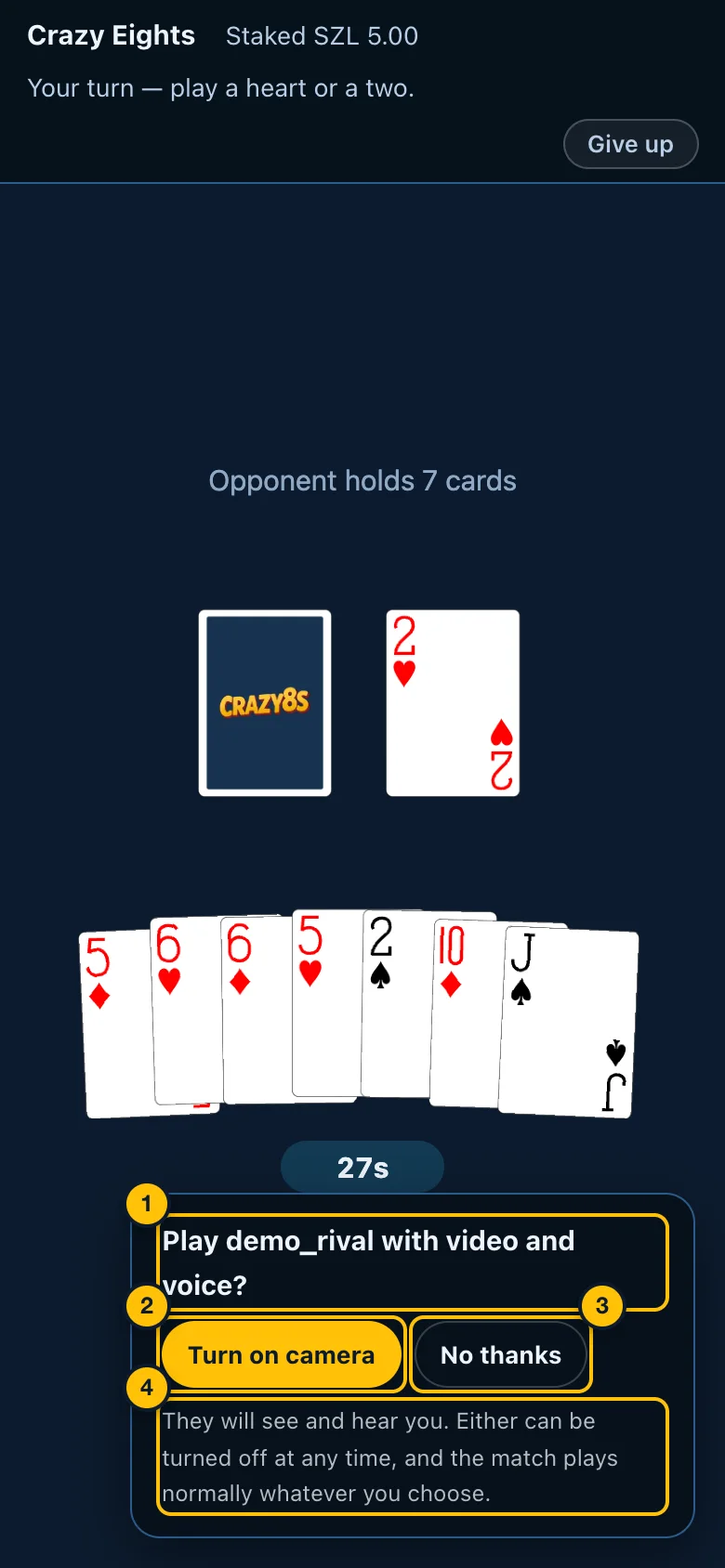
- The question — Play
with video and voice? - Turn on camera — starts your camera and microphone. You see and hear your opponent if they turn theirs on too.
- No thanks — no video in this match. You are not asked again in it.
- What it means — they will see and hear you, either can be turned off at any time, and the match plays normally whatever you choose.
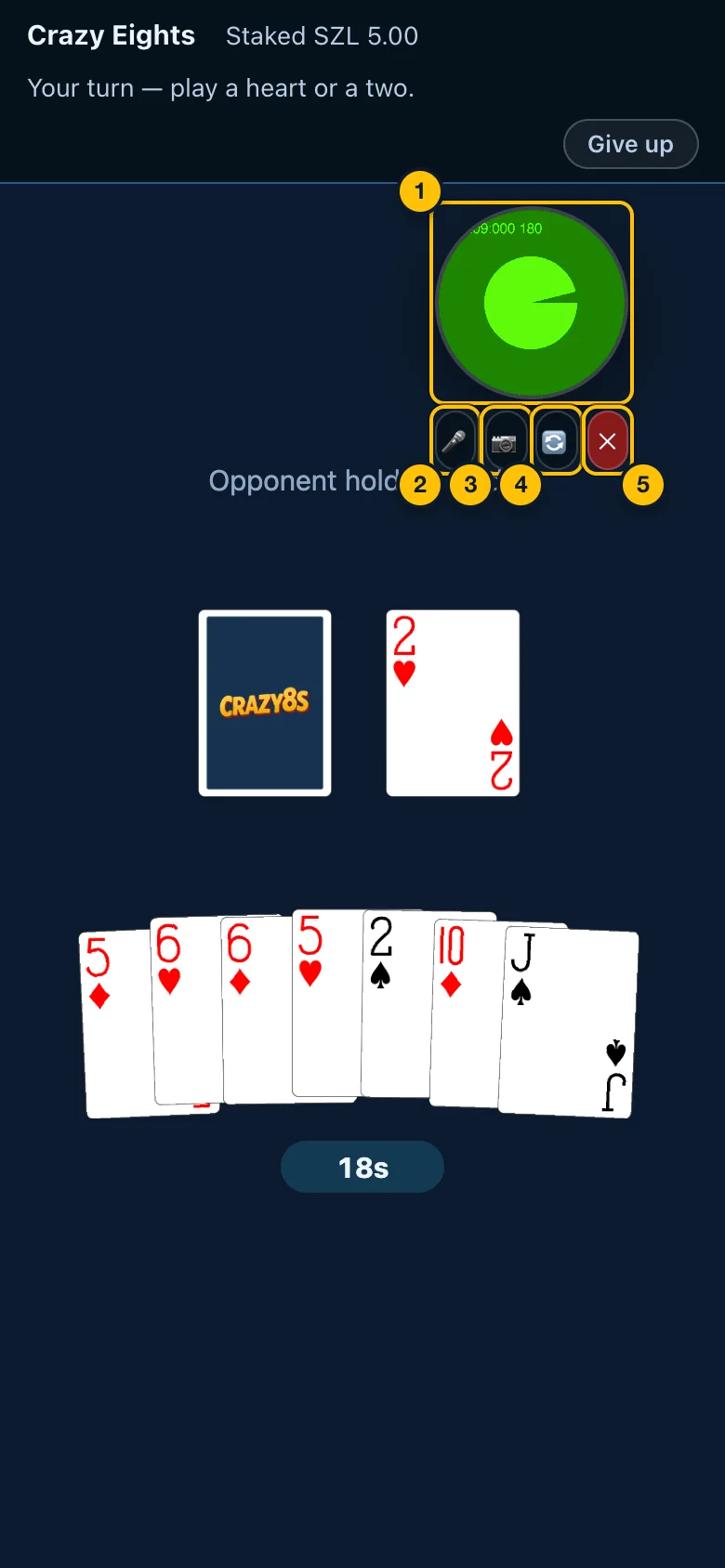
- The video circle — your opponent's camera. Drag it anywhere on the screen; it remembers where you put it for next time. Connecting…, Reconnecting…, or Camera off show on it when that is what is happening.
- 🎤 Microphone — mute or unmute yourself (🔇 when muted).
- 📷 Camera — turn your camera off or on (🚫 when off).
- 🔄 Switch view — show your own camera in the circle instead of your opponent's, and back.
- ✕ End the call — ends the video for this match. The match carries on.
If the call drops, it reconnects by itself a few times. Nothing is recorded.
Giving up
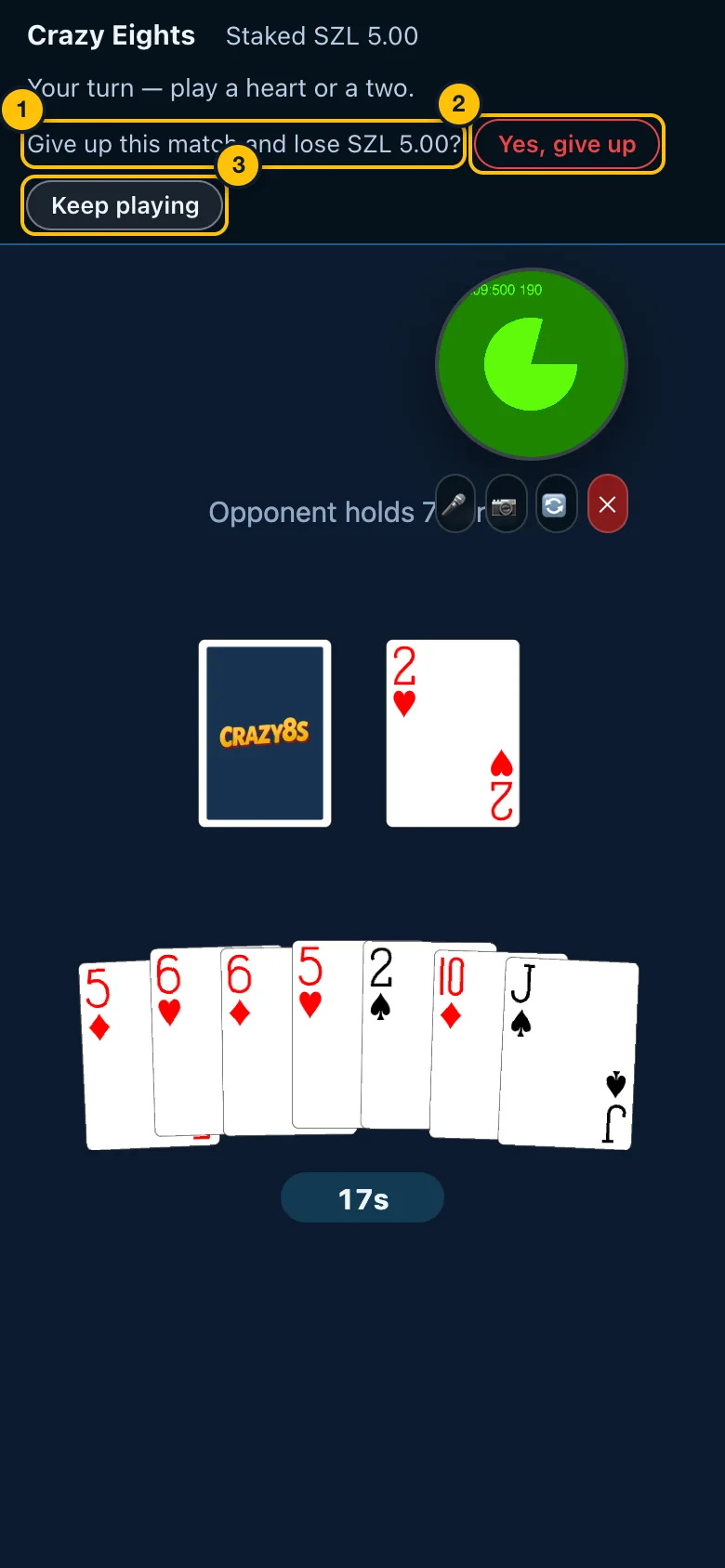
- The question says what it costs — Give up this match and lose SZL 5.00?
- Yes, give up — you leave the match and lose it. Your opponent wins.
- Keep playing — closes the question and carries on.
The result
When the match ends, the result appears over the board.
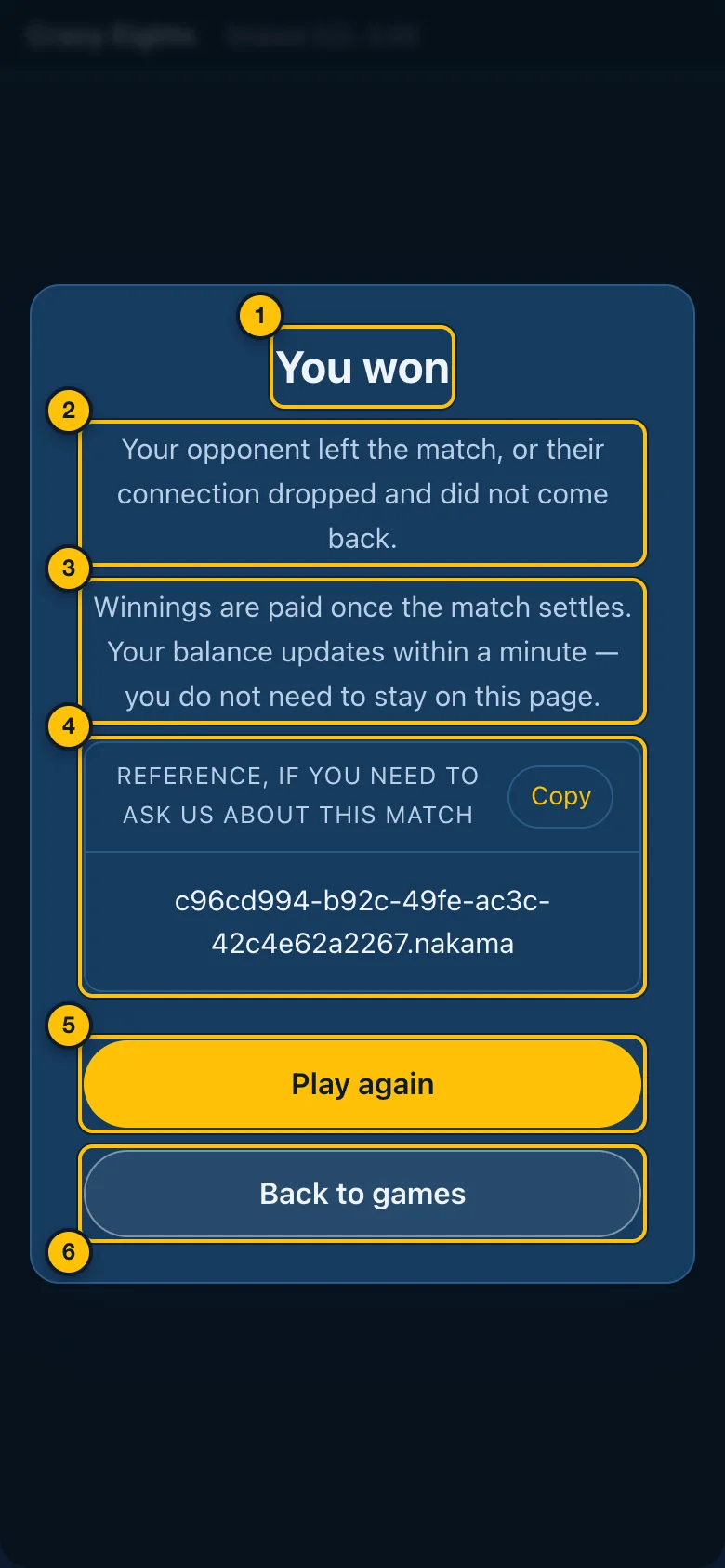
- The result — You won, You lost, A draw, or Match over.
- Why — for example Your opponent left the match…, Your opponent ran out of time, or The match ended before anyone played. Your stake is returned.
- When you are paid — winnings are paid once the match settles, normally within a minute. You do not need to stay on the page.
- The reference (staked matches only) — the match's number. Tap Copy and include it if you contact support about this match.
- Play again — back to the game's page to choose a stake.
- Back to games — the Games page.
If the match could not run at all, the panel says Match stopped and why. If you were charged for a match that never produced a result, your stake is returned automatically.
6. Pools
In a pool, 5 players each play the same board on their own, at different times. When the fifth score is in, the pool pays the best three. If a pool does not get 5 scores within 6 hours of its first, it is cancelled and every stake is returned in full.
Choosing a pool
From a solo game's page, tap a stake under Enter a pool (Solo games). The prize screen opens. Nothing has been charged yet.
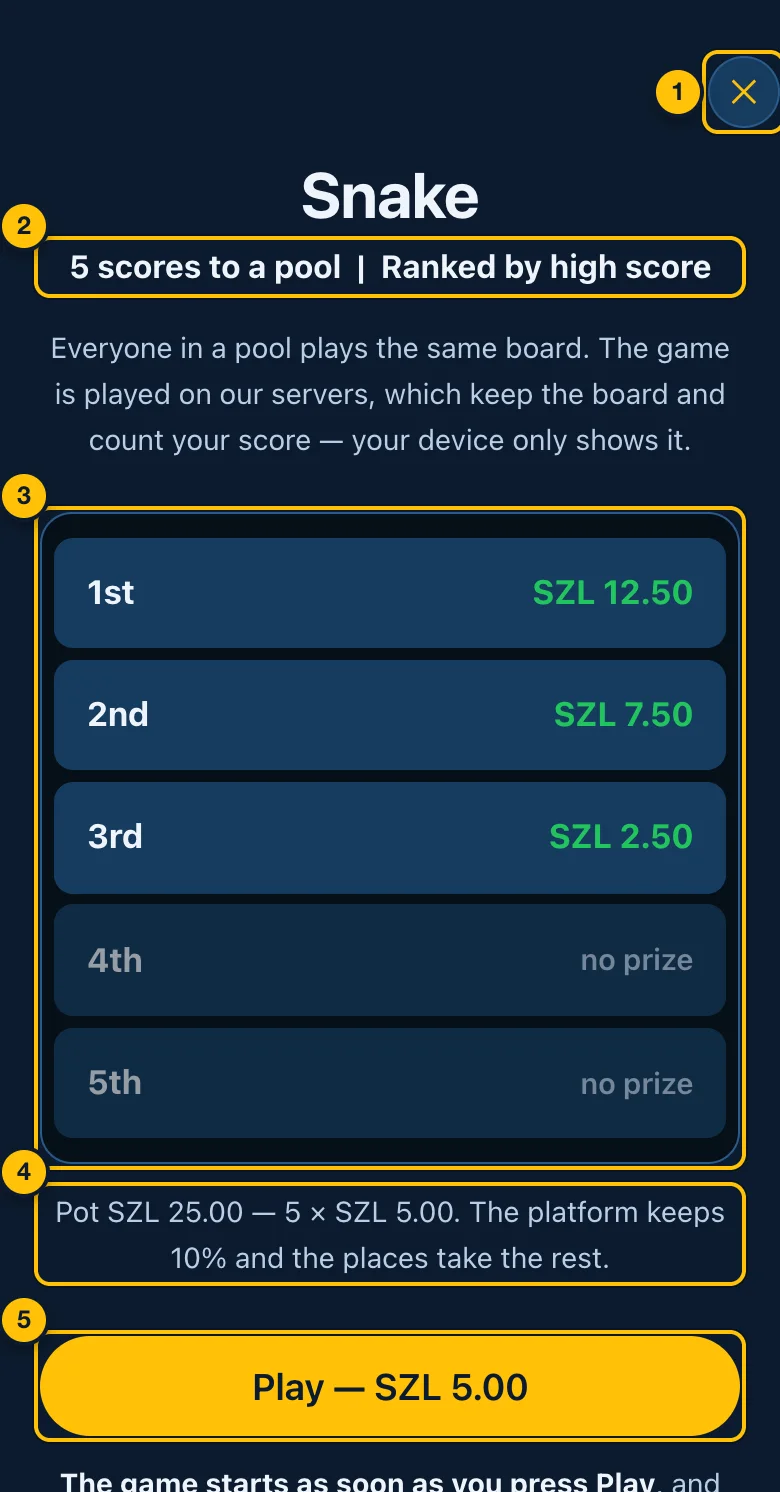
- ✕ — back to the game's page without playing.
- The pool — 5 scores to a pool, ranked by high score.
- Every place and what it pays — at this stake. Places 4 and 5 win nothing.
- The pot — 5 × the stake. The platform keeps 10%; the places share the rest.
- Play — SZL 5.00 — starts your run and takes the stake at that moment. If you cannot afford it, it reads Not enough balance and cannot be tapped.
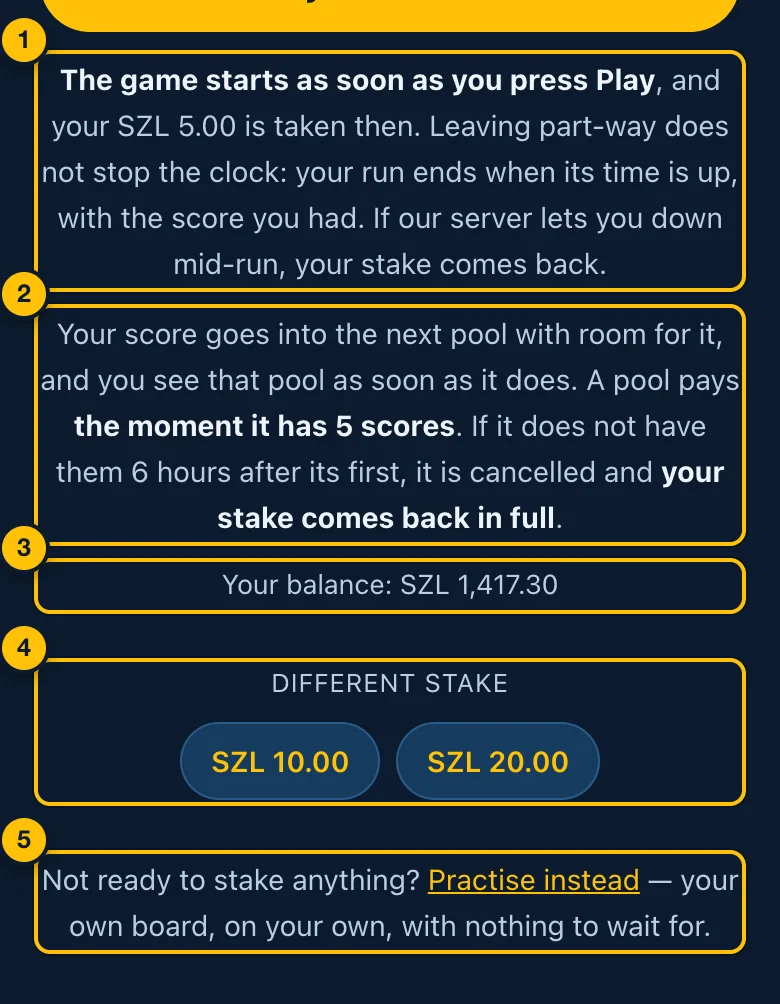
- The game starts as soon as you press Play. Leaving part-way does not stop the clock: the run ends when its time is up, with the score you had. If the platform lets you down mid-run, your stake comes back.
- Where your score goes — into the next pool at this stake with room for it. A pool pays the moment it has 5 scores.
- Your balance.
- Different stake — switch to the same game's pool at another stake.
- Practise instead — a free run with nothing staked (Practice).
Playing a run
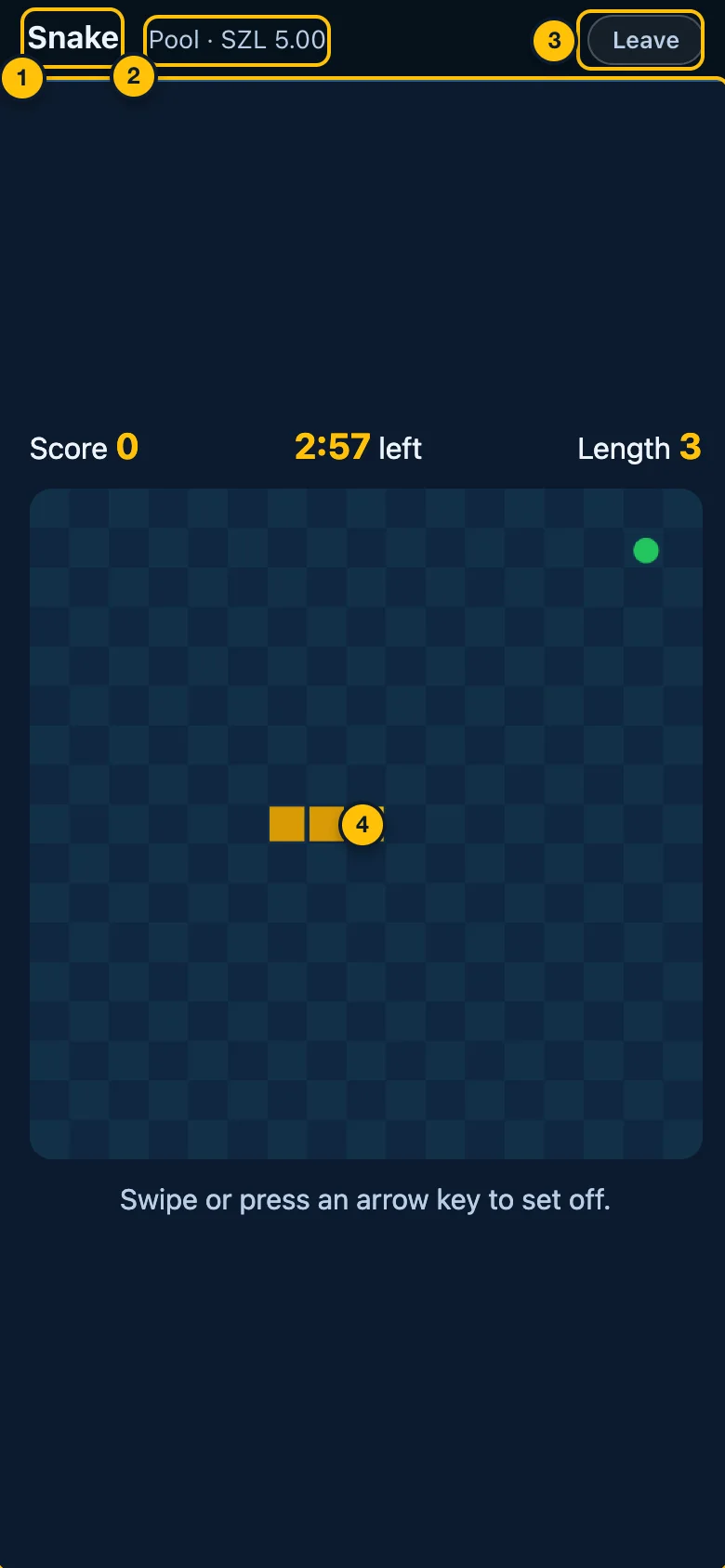
- The game's name.
- Pool · SZL 5.00 — the stake you are playing for.
- Leave — leave the run. It asks first, and reminds you that the run plays out on its clock and keeps the score you had. You then go to Your pools.
- The board — the game. The score and time left are shown by the game itself, above the board.
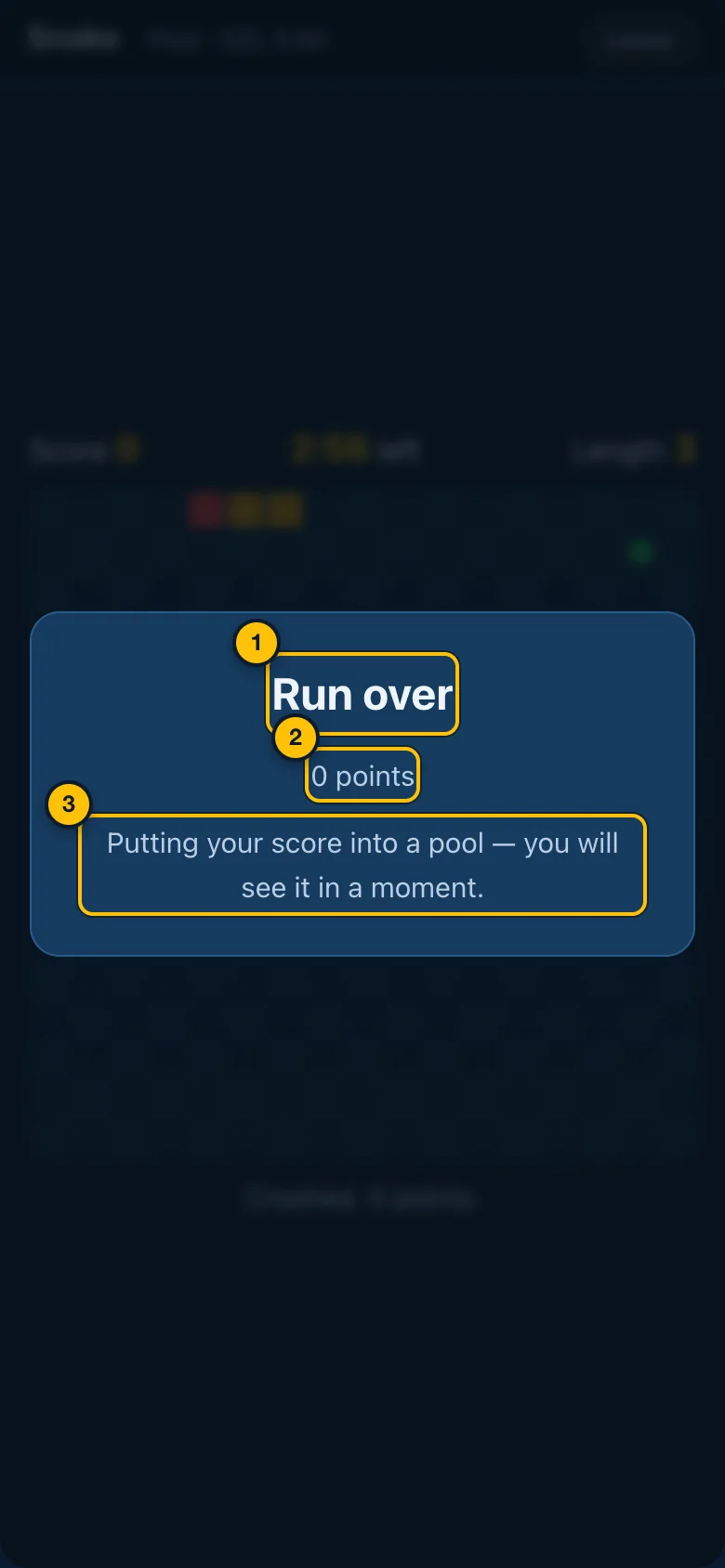
- Run over.
- Your score.
- Putting your score into a pool — a moment later the pool's page opens.
A pool's page
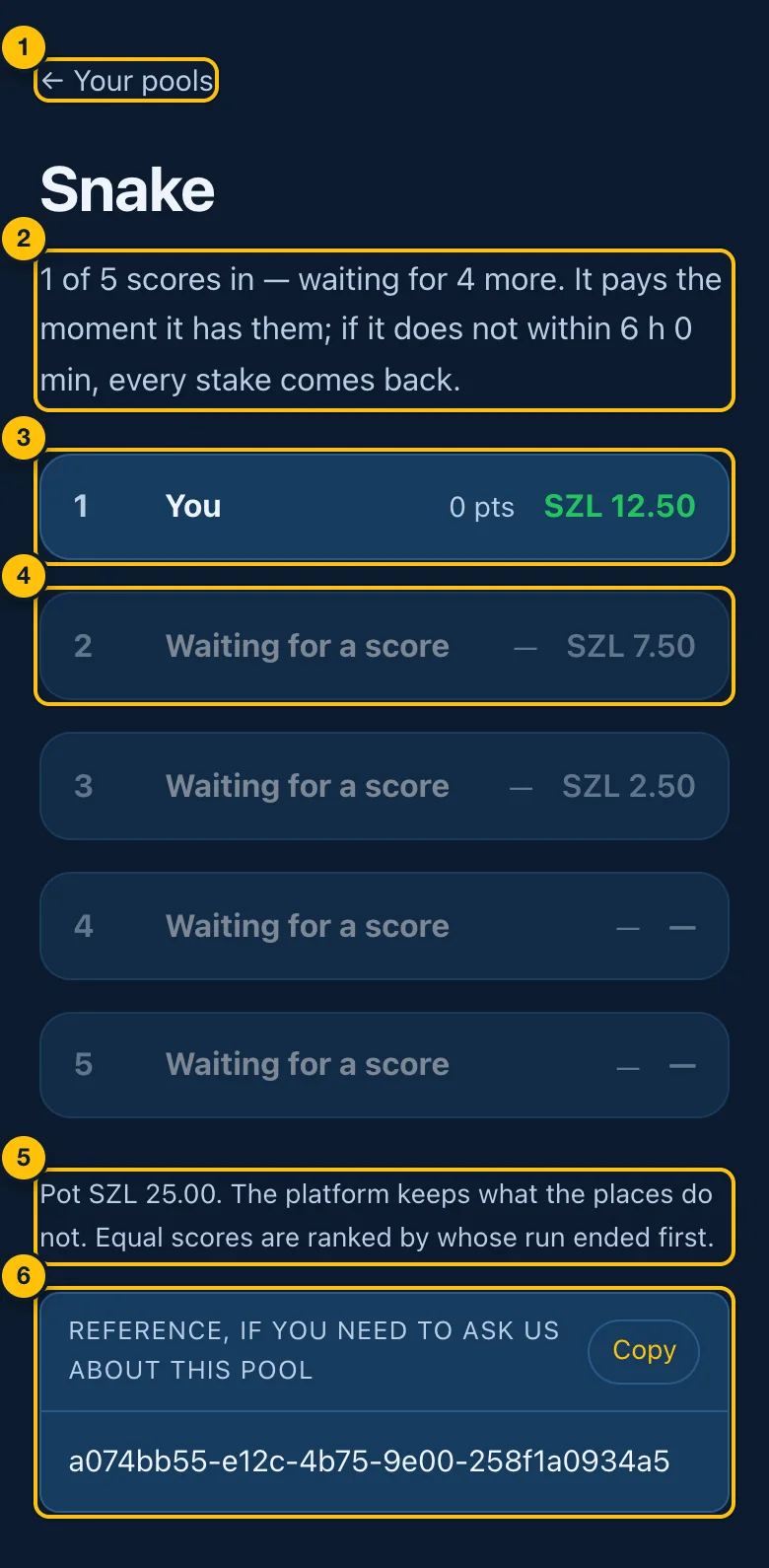
- ← Your pools — the list of all your pools.
- Where the pool is — 1 of 5 scores in — waiting for 4 more, and how long until it is cancelled if it does not fill. Once paid: Paid. You came 2nd of 5, and won SZL 7.50. If cancelled: every stake was returned.
- Your score — highlighted, with its place and what that place pays.
- A place still empty — Waiting for a score, and what that place pays.
- The pot — and how ties are broken: equal scores are ranked by whose run ended first.
- The reference — the pool's number. Tap Copy and include it if you contact support about this pool.
Your pools
Open the menu (☰) and tap Your pools.
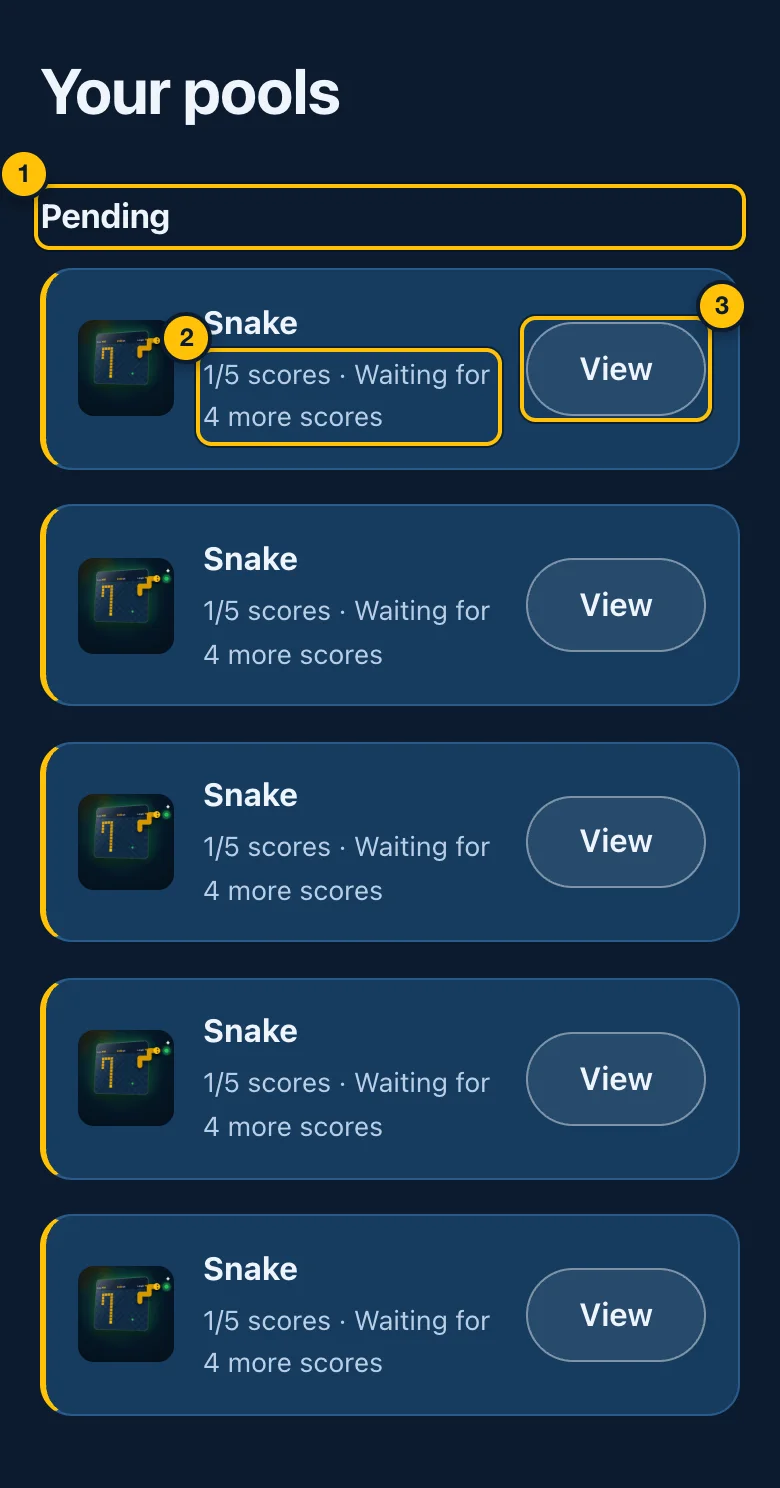
- Pending — pools still waiting for scores. Further down, Past pools shows finished ones: your place (a ♛ crown for the top three), how long ago, and what you won — or Voided — your stake was returned.
- How full it is — 1/5 scores · waiting for 4 more scores.
- View — open the pool's page.
Open pools
Open the menu (☰) and tap Open pools. It lists pools other players have started that are waiting for more scores. Pools you are already in are left out.
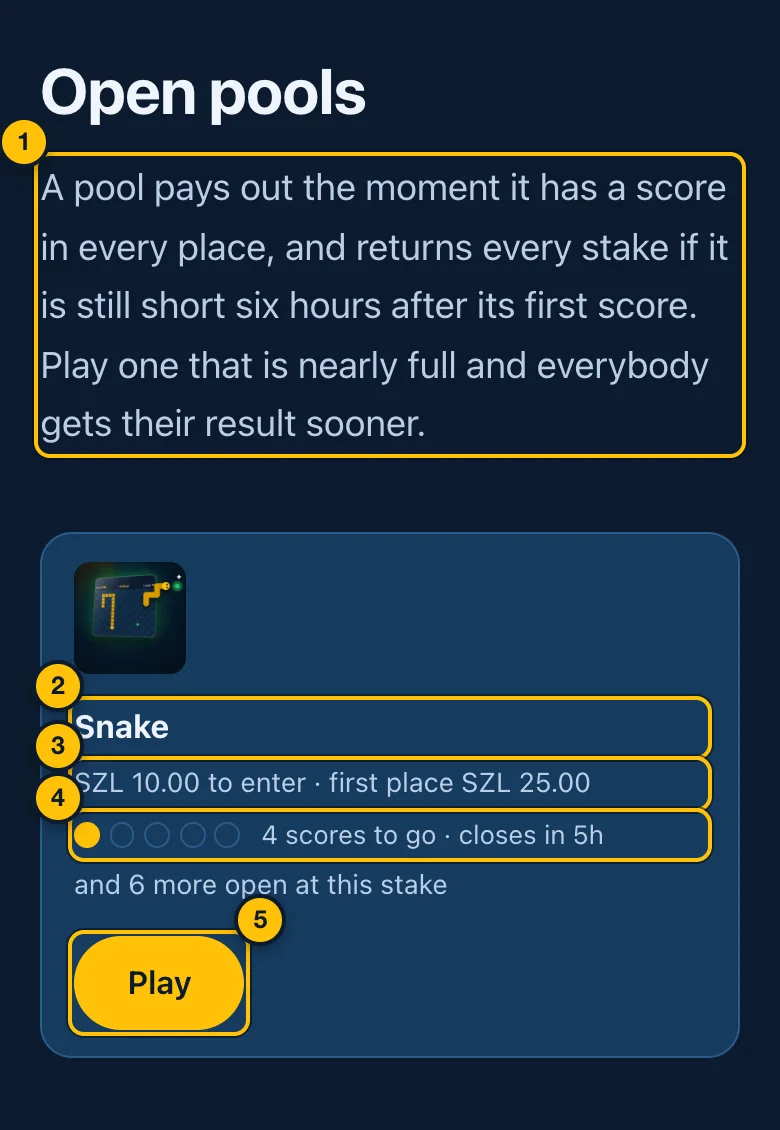
- Why to play these — a pool that is nearly full pays everybody sooner.
- The game — tap its name to open its page.
- The stake, and what first place wins.
- How full it is — a dot for each of the 5 places (yellow for a score in), how many scores are still needed, and how long until it closes. and 4 more open at this stake means there are other pools waiting too.
- Play — opens the prize screen for that game and stake. Your score goes into the next pool at that stake with room for it.
7. Practice
Free runs on your own: nothing staked, nothing ranked. Every solo game gives you 10 free practice runs a day. A daily streak can add extra runs (Your standing). Open a game and tap Free.
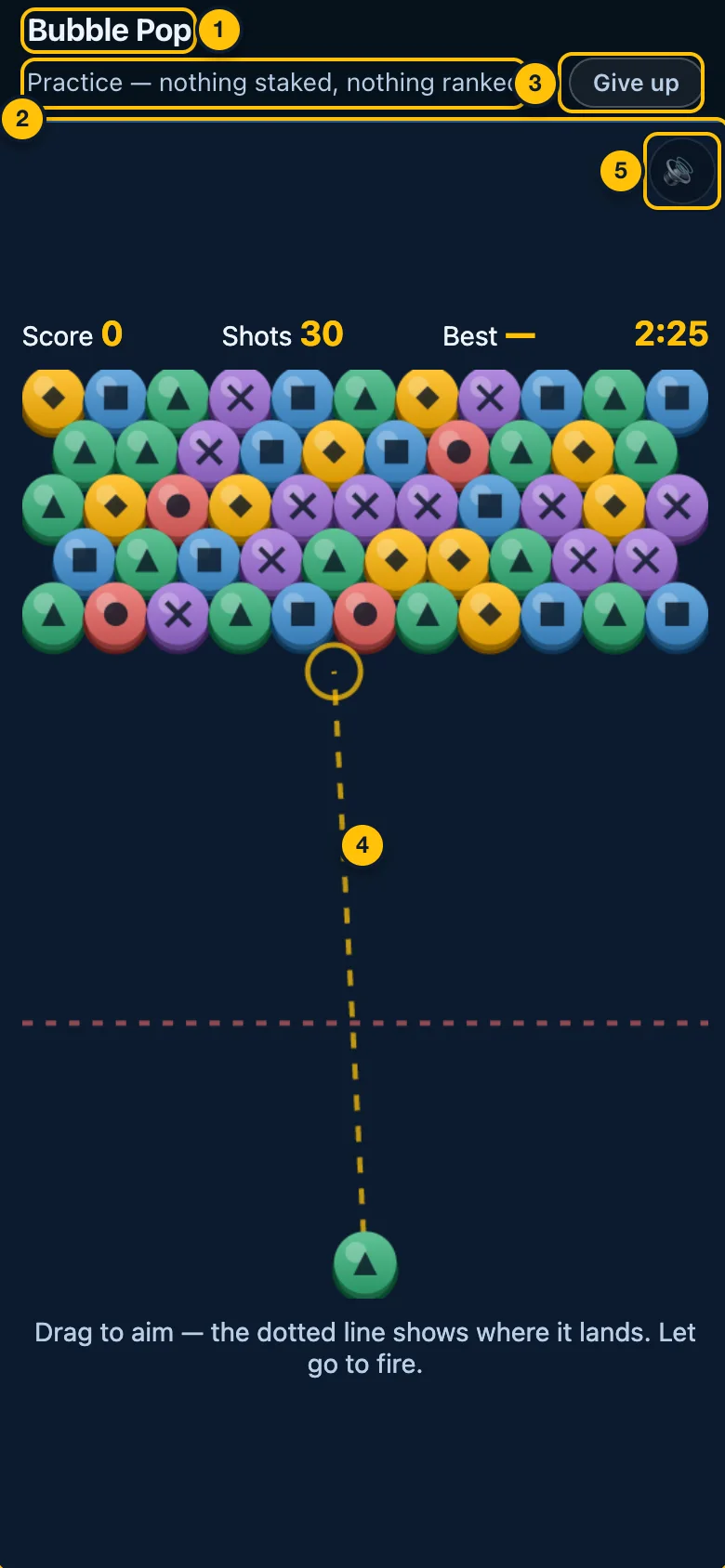
- The game's name.
- Practice — nothing staked, nothing ranked.
- Give up — leave the run. A practice run uses one of the day's free runs whether you finish it or not, so it asks first.
- The board — the game.
- 🔊 Sound — mute or unmute this game, for games with sound.
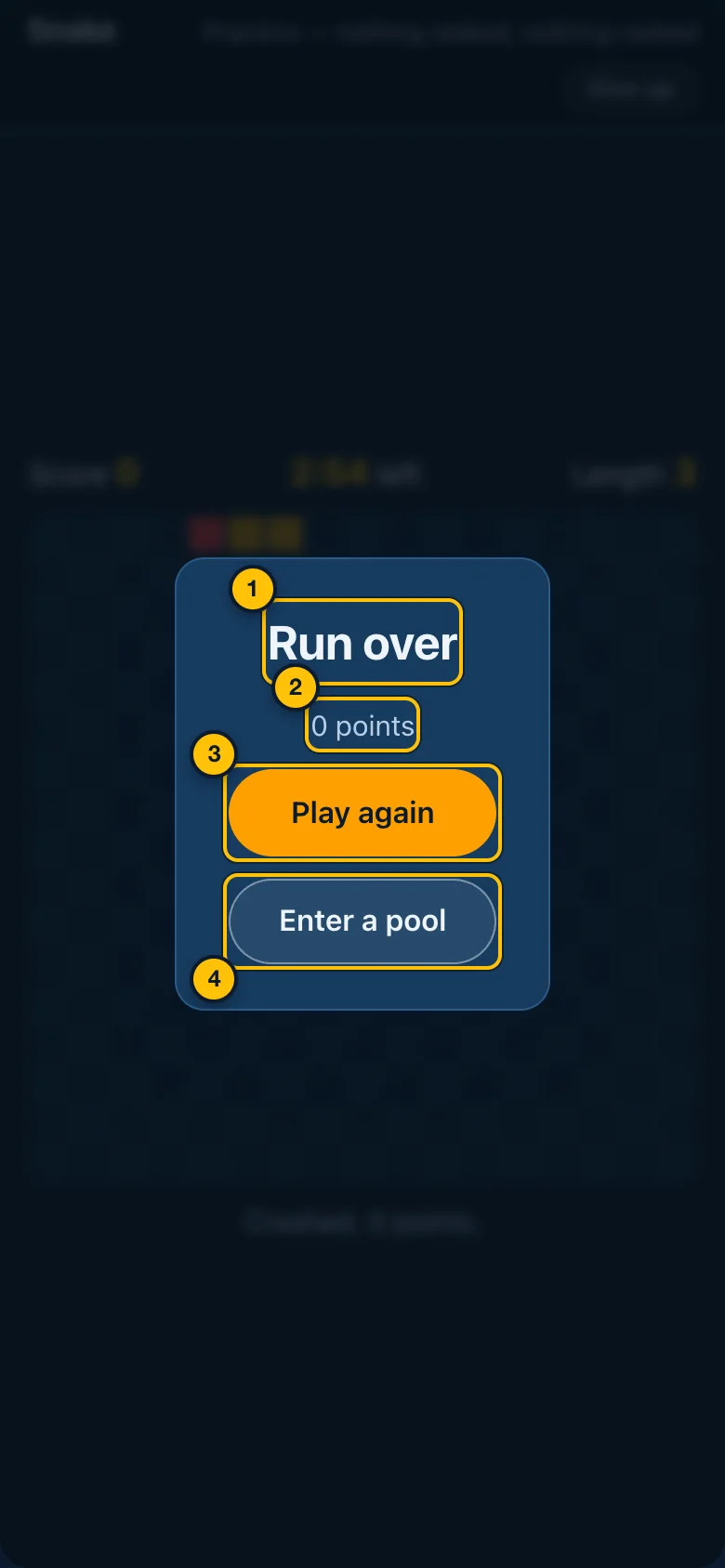
- Run over.
- Your score (or how the game ended).
- Play again — another free run.
- Enter a pool — play the same game for a stake.
When the day's free runs are used up, the screen says That is today's free practice used up, with buttons to Play a match or Practise a different game.
8. Tournaments
Every game runs a tournament every night, from 19:00 to 20:00. You pay a SZL 10.00 entry fee once, play during the hour, and the top three share the pot. Results come at 20:15. At least 10 players must enter, or the tournament does not run and every fee is returned.
Open the menu (☰) and tap Tournaments.
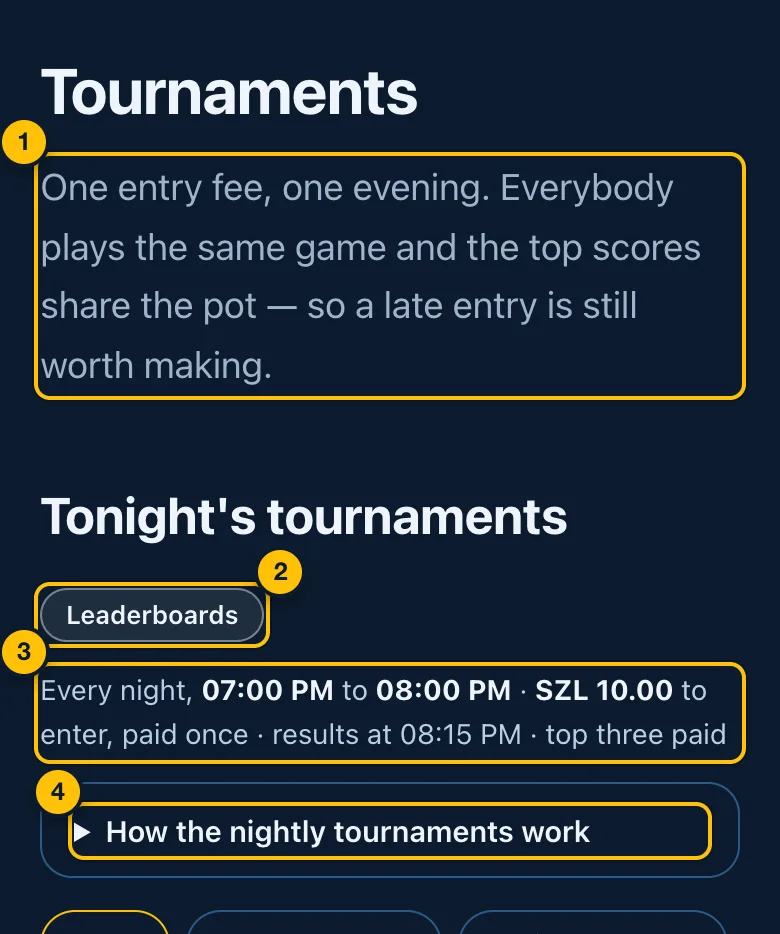
- What a tournament is — one entry fee, one evening; everybody plays the same game and the top scores share the pot.
- Leaderboards — tonight's standings and earlier evenings (The leaderboard).
- The times, the fee and the results time — the same for every game.
- How the nightly tournaments work — tap to open the full explanation.
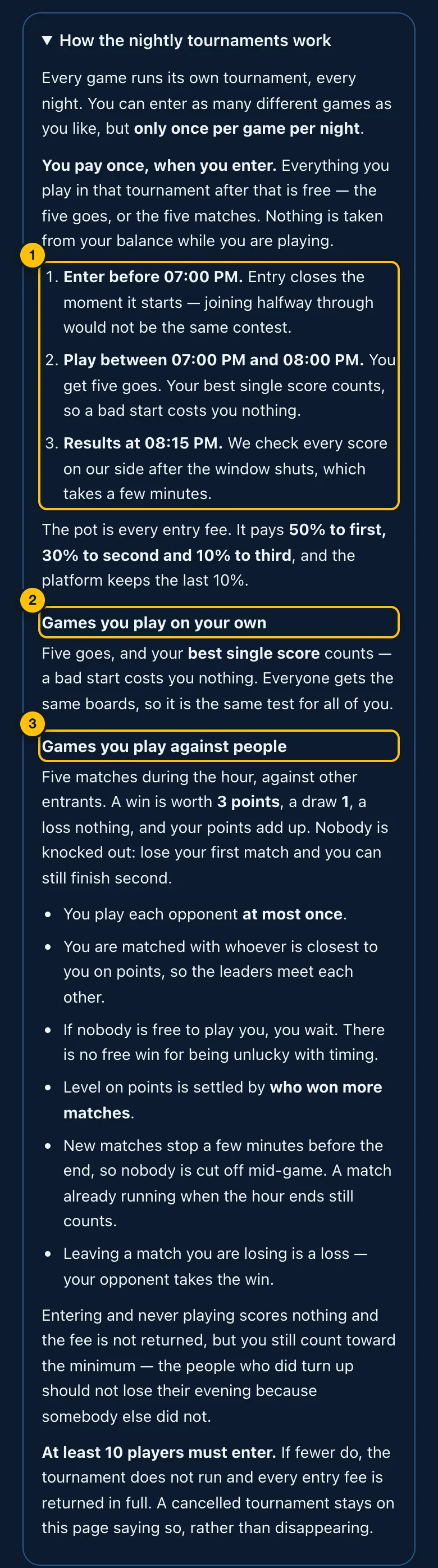
- The three steps — enter before 19:00 (entry closes when it starts), play between 19:00 and 20:00, results at 20:15.
- Games you play on your own — five goes; your best single score counts.
- Games you play against people — five matches against other entrants: 3 points for a win, 1 for a draw. Nobody is knocked out.
Entering and not playing scores nothing, and the fee is not returned. The pot pays 50% to first, 30% to second and 10% to third; the platform keeps 10%.
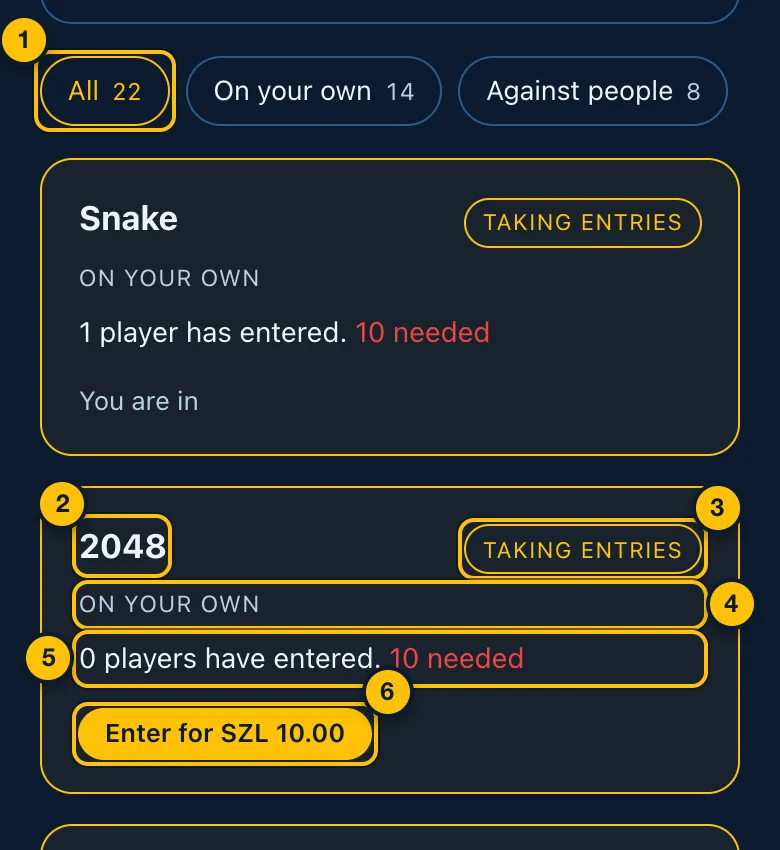
- Filters — All, On your own (solo games) or Against people (head-to-head games). The number is how many tournaments each shows.
- The game.
- Where it is — Taking entries, Playing now, Working out the results, Finished or Cancelled.
- The format — On your own or Against people.
- Who has entered — and, in red, how many are needed for it to run. While it is running: how many goes or matches you have played and have left, and your current place and best score.
- Enter for SZL 10.00 — pays the fee and enters you. Only before 19:00.
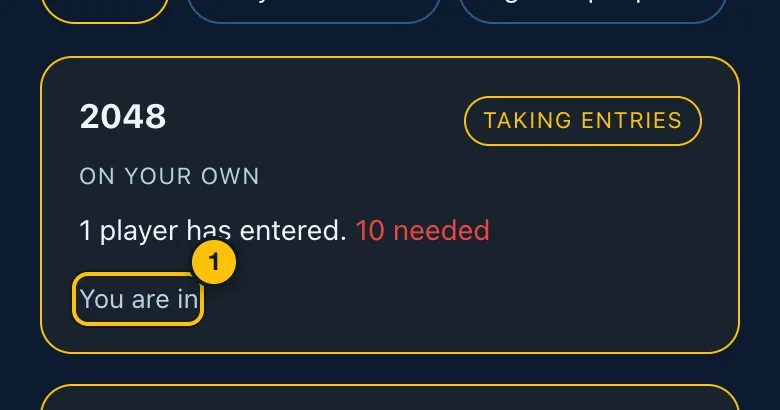
- You are in — you have entered. From 19:00 the card shows Play (5 goes left) for a solo game, or Find an opponent (5 matches left) for a head-to-head game, and a Leaderboard button.
Playing a tournament go looks like a pool run, with Tournament · go 1 of 5 above the board. After each go: Go 1 of 5 done, your score, Take another go and Leaderboard. In a head-to-head tournament, if nobody is free to play you, you wait (Looking for an opponent…) and can tap Come back later.
The leaderboard
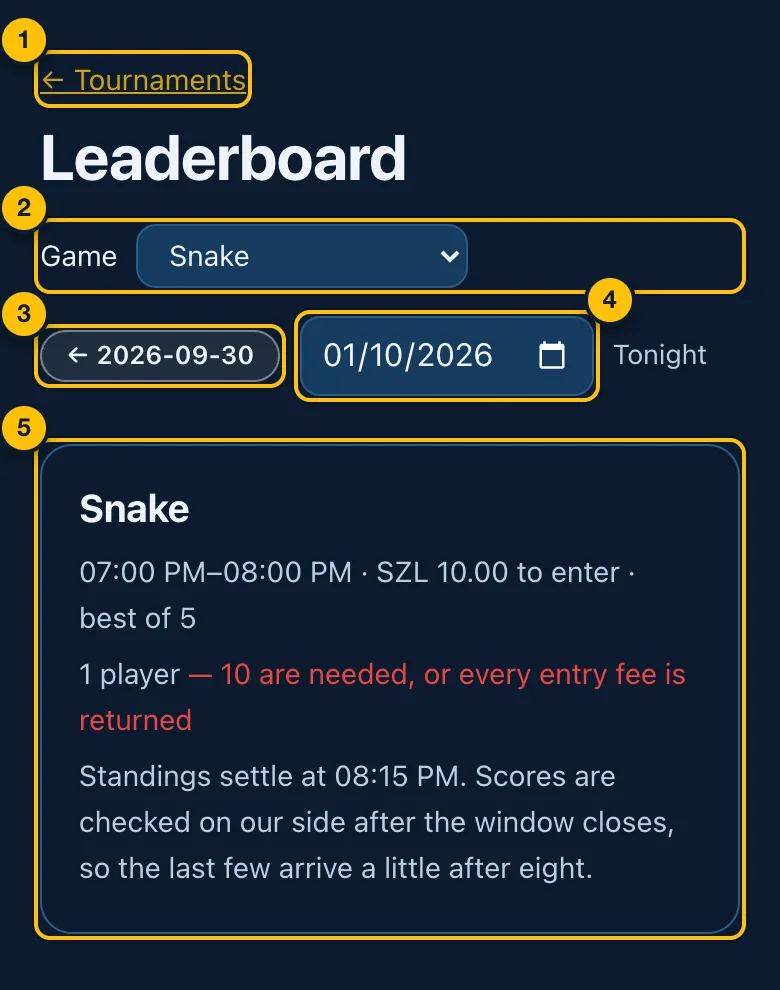
- ← Tournaments — back to tonight's tournaments.
- Game — choose which game's tournament to show.
- ← the evening before — go back one evening.
- Jump to a date — pick any earlier evening. Tonight marks the latest.
- The tournament — its hours, fee and number of goes, how many entered, and the table of players: place, name (yours marked you), best score, and goes used. Scores are checked after 20:00, so the last few arrive a little after eight.
9. Game of the Week
One solo game all week, with a cash prize every day. Free to enter. Each day runs from 20:00 to 20:00; you get 5 goes a day, and your best go counts. At 20:00 the day's best three scores are paid.
Tap the banner on the home page, or See today's leaders.
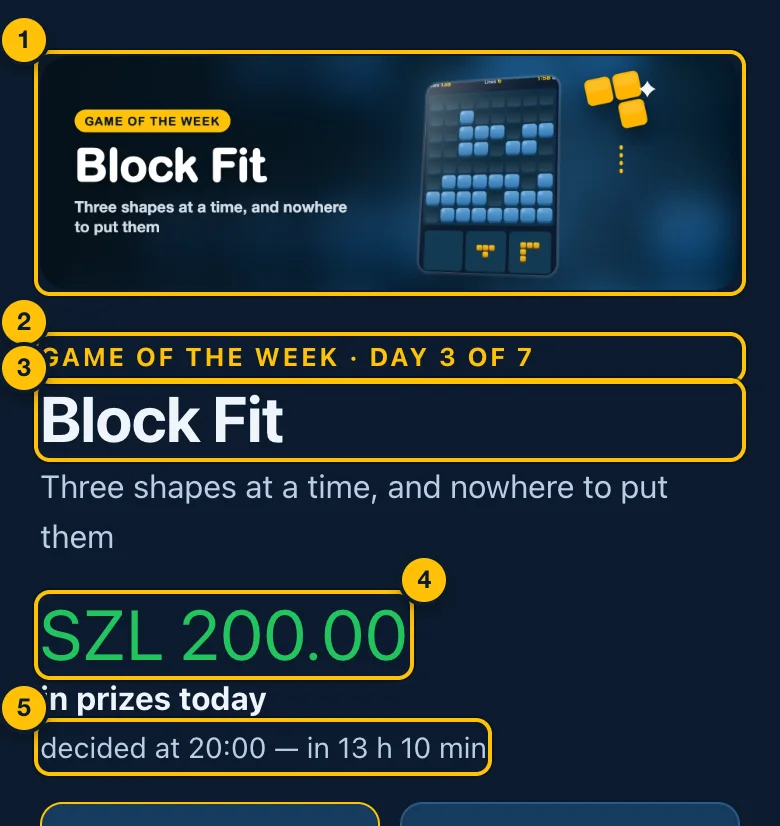
- The banner for this week's game.
- Game of the Week · day 3 of 7.
- This week's game.
- Today's prizes in total.
- When today is decided — decided at 20:00 — in 13 h 20 min.
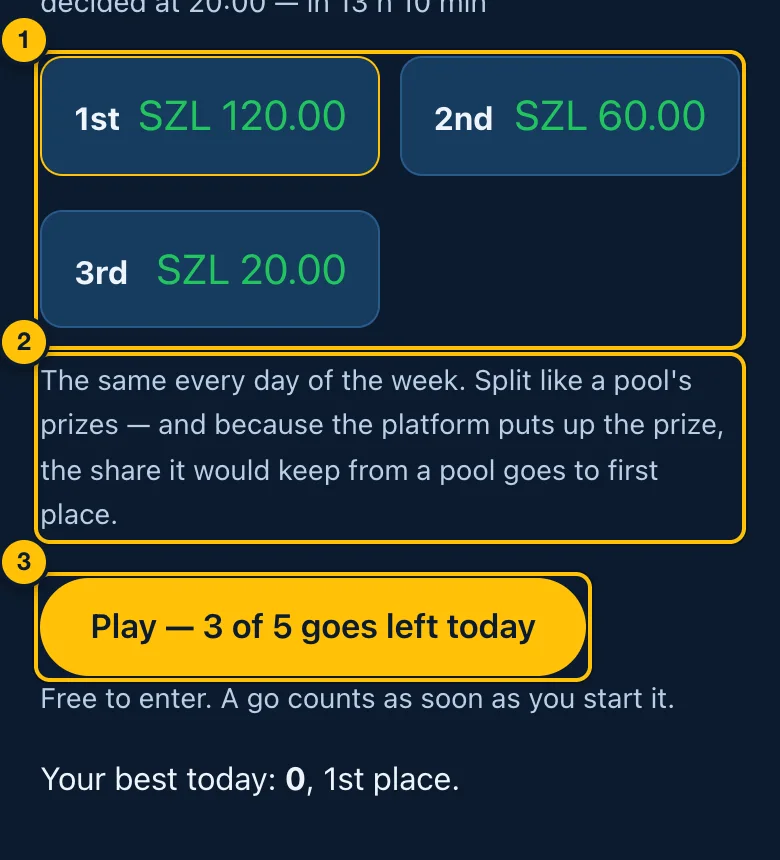
- What each place is paid today — the same every day this week.
- How the prizes are split — like a pool's, with the platform's share going to first place.
- Play — 5 of 5 goes left today — starts a go. A go counts as soon as you start it, even if you leave part-way. If you are not signed in it reads Sign in to play. When your goes are used up it says so, and the next day opens at 20:00. Your best score today and your place appear under it.
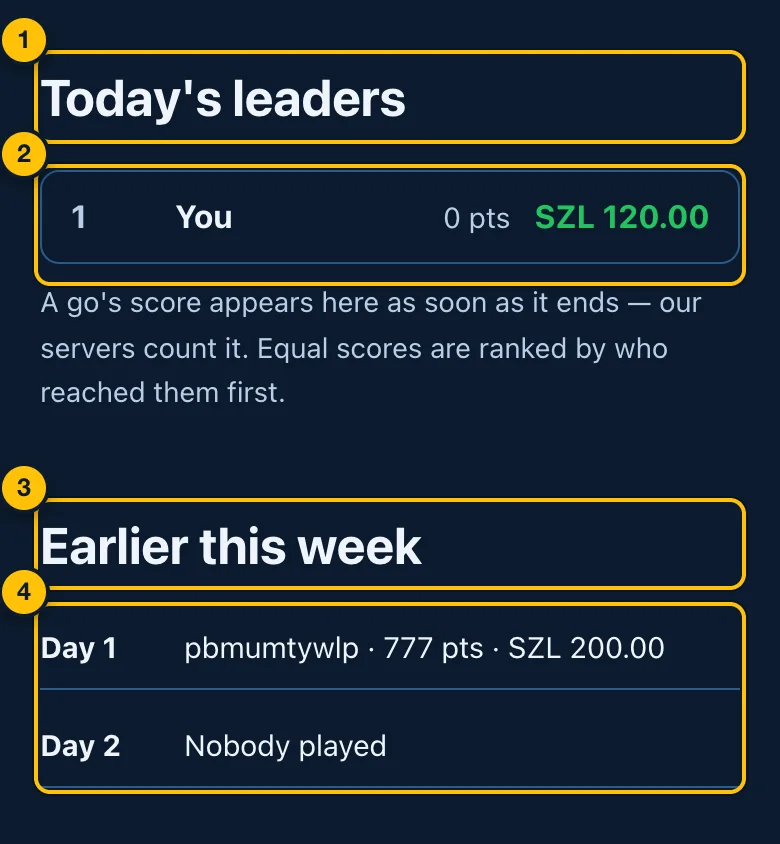
- Today's leaders.
- The board — place, player (You for you), score, and what that place is paid. A go's score appears as soon as it ends. Before anybody plays: No scores yet today. The first to play leads.
- Earlier this week.
- Each earlier day — who placed, their scores and what they were paid, or Nobody played.
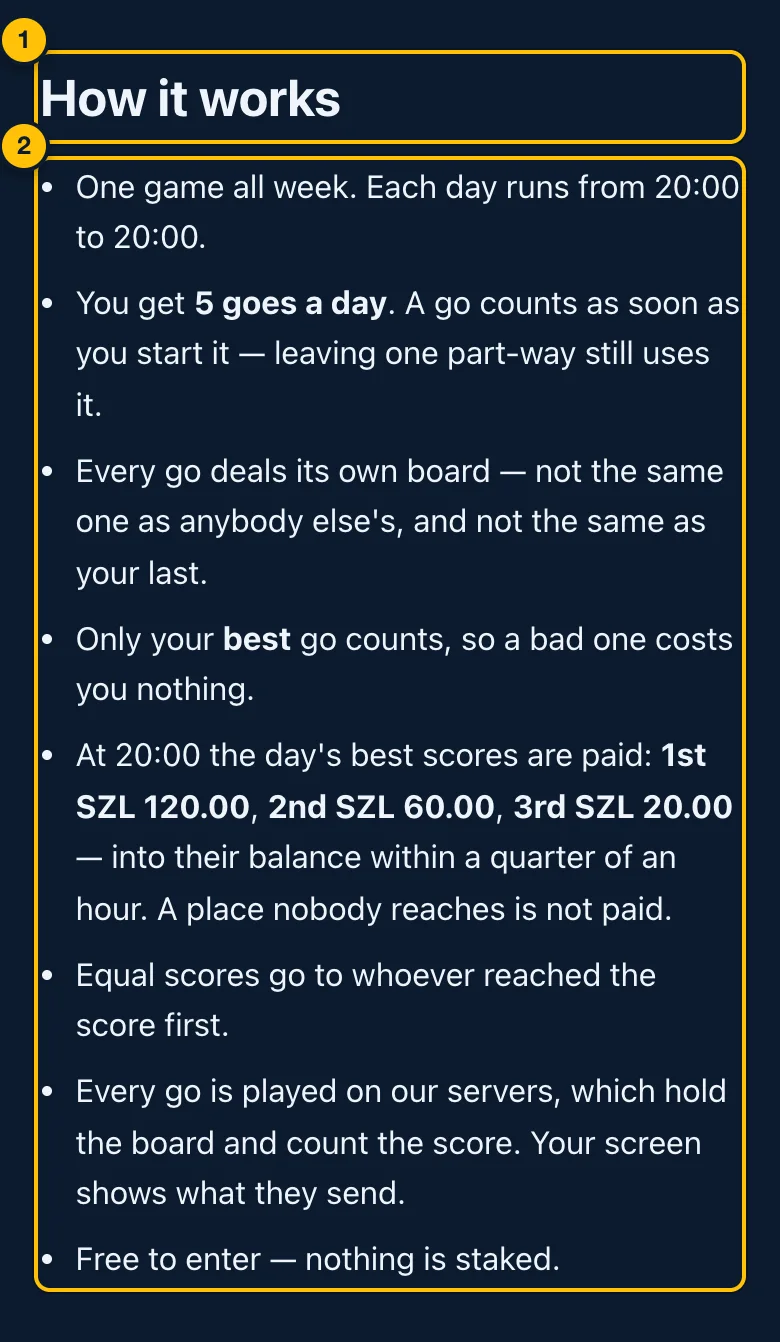
- How it works.
- The rules of the contest — days, goes, best score, when and how prizes are paid, how ties are broken. Below them are the game's own description and rules.
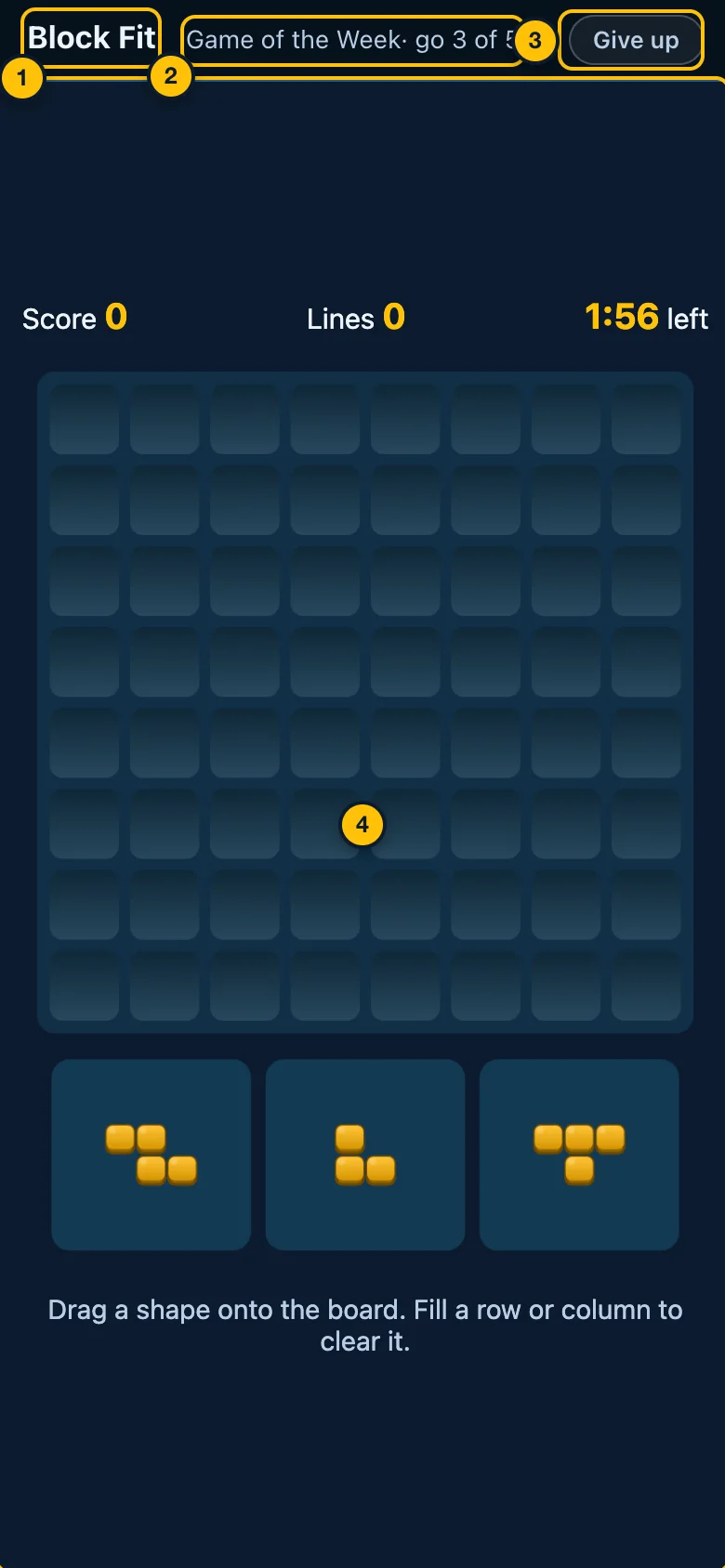
- The game's name.
- Game of the Week · go 1 of 5.
- Give up — leave this go. It still counts as one of today's goes.
- The board.
After a go: Go 1 of 5 done, your score, Take another go and Today's leaders. Prizes are paid into your balance within a quarter of an hour of 20:00.
10. Your wallet
Open the menu (☰) and tap Wallet.
Adding money
Money is added from MTN Mobile Money.
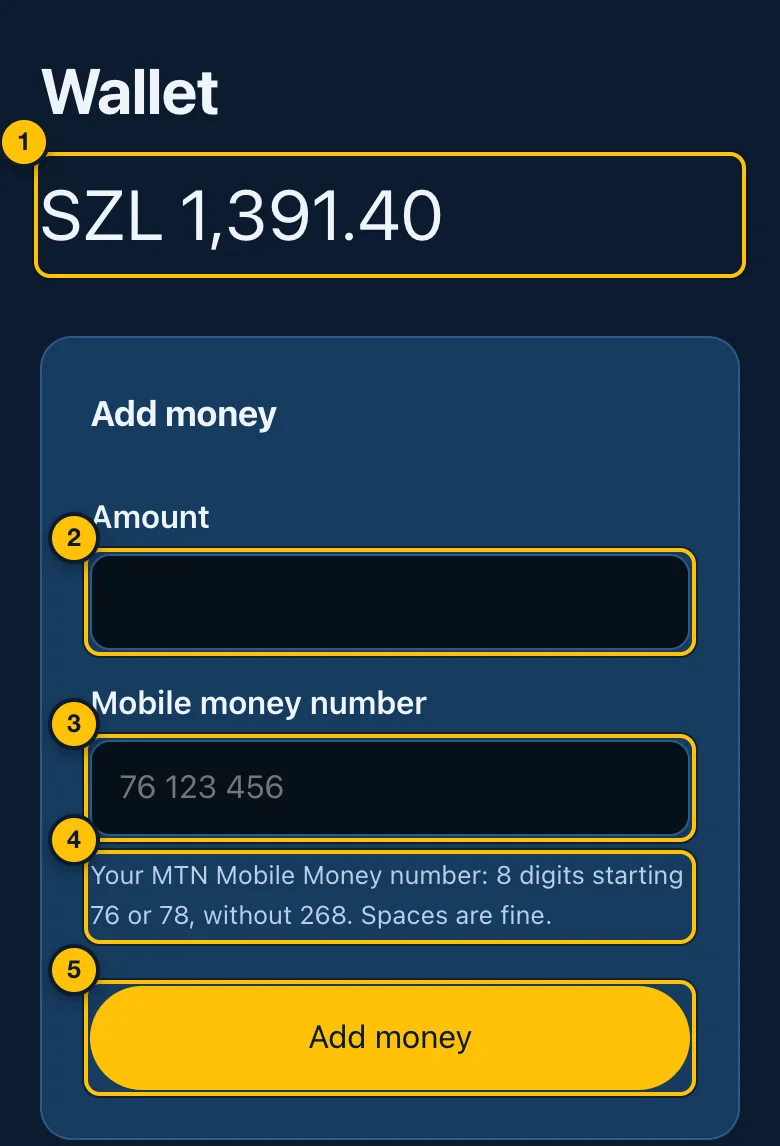
- Your balance — what you can stake and withdraw.
- Amount — how much to add, in emalangeni (whole numbers, e.g.
100). - Mobile money number — your MTN Mobile Money number: 8 digits
starting 76 or 78, for example
76 123 456. Spaces are fine, and so is +268 in front, but it is not needed. A number starting 79 is not an MTN Mobile Money number and cannot be used. - The reminder — Your MTN Mobile Money number: 8 digits starting 76 or 78, without 268. Spaces are fine. If the number is not like that, the form is not sent: your browser outlines it and says it must be 8 digits starting 76 or 78.
- Add money — sends the request to MTN.
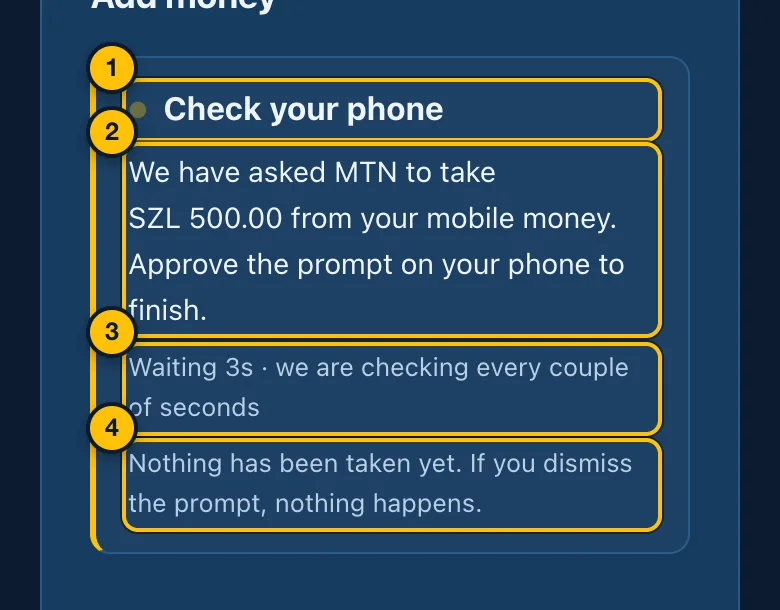
- Check your phone — MTN sends a prompt to your phone.
- What was asked — approve it on your phone (with your MoMo PIN) to finish.
- Waiting — the page checks every couple of seconds. Keep it open.
- Nothing has been taken yet. If you dismiss the prompt, nothing happens.
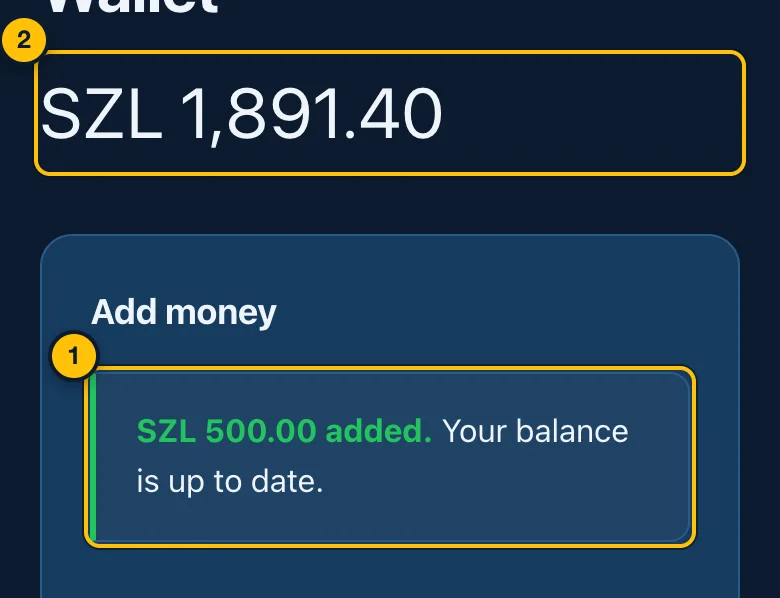
- SZL 500.00 added. Your balance is up to date. If it fails, the page says That payment did not go through and nothing was taken.
- The new balance.
If the page stops waiting before MTN answers, it says Still waiting. The prompt may still go through; your balance and history will show it if it does.
Withdrawing
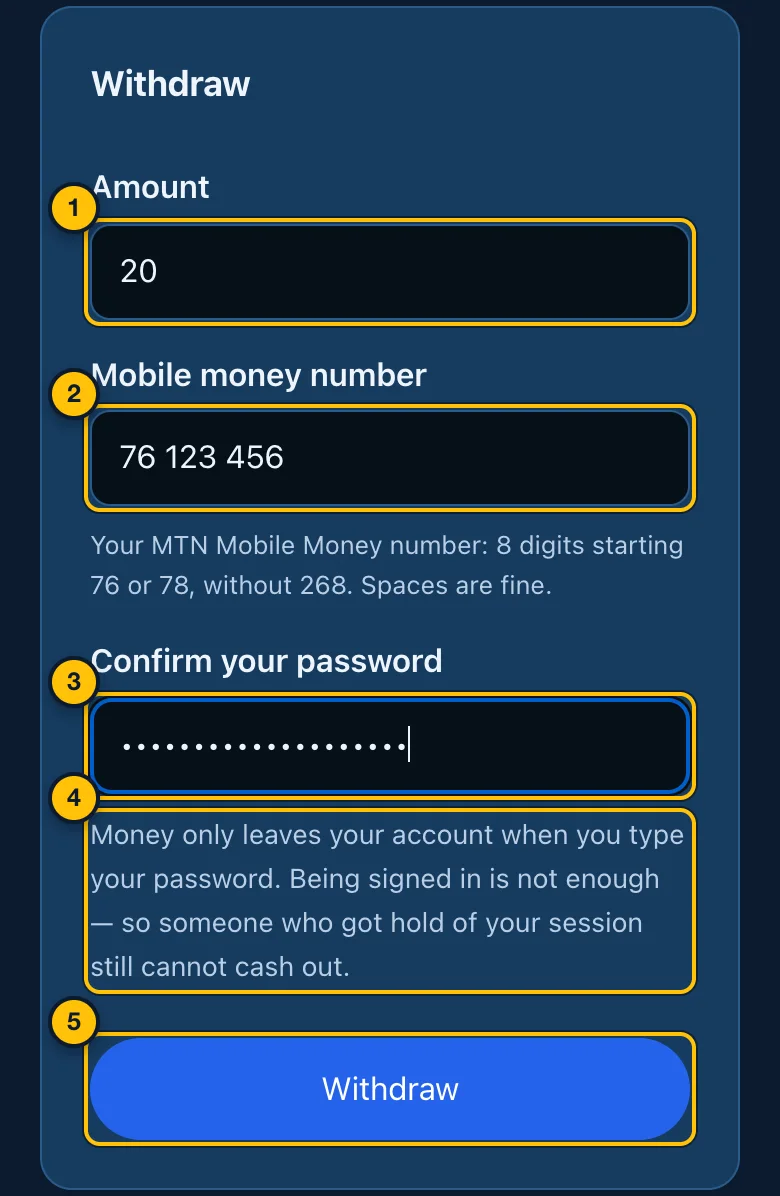
- Amount — how much to withdraw. It cannot be more than your balance.
- Mobile money number — the MTN Mobile Money number to send it to: 8 digits starting 76 or 78.
- Confirm your password — your Crazy8s password.
- Why the password — money only leaves your account when you type your password. Being signed in is not enough, so someone who got hold of your phone while you were signed in still cannot cash out.
- Withdraw — sends the request.
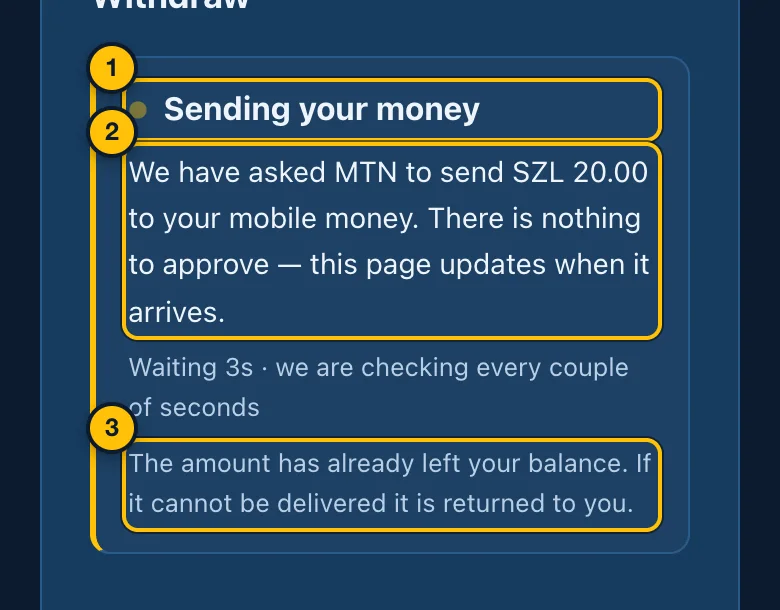
- Sending your money.
- What happens — MTN is asked to send it to your mobile money. There is nothing for you to approve.
- The amount has already left your balance. If it cannot be delivered, it is returned to you.
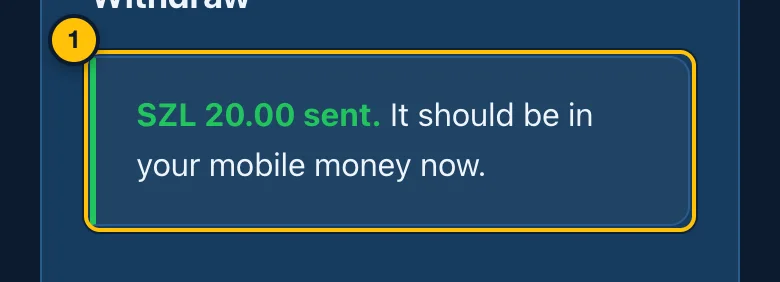
- SZL 20.00 sent. It should be in your mobile money now.
If a confirmed email address is required to withdraw, a withdrawal from an address that is not confirmed is refused with confirm your email address before withdrawing. Confirm it (Confirming your email address) and try again. Receipts for every withdrawal go to that address.
Withdrawing to a bank account. When it is offered, the Withdraw section has two tabs, MTN MoMo and Bank account. A bank withdrawal is at least SZL 50.00 and is paid by bank transfer within 2 working days. You give the account holder's name (as the bank has it), the bank, the account number, the branch code if your bank uses one, and your password, then tap Request bank withdrawal. Your requests are listed under Bank withdrawals: Waiting to be paid, Being paid, Paid, or Returned to your balance (with the reason). While it is still waiting, a Cancel button puts the money back in your balance.
If adding money or withdrawing is paused, the section says so, and your balance is safe.
Your history
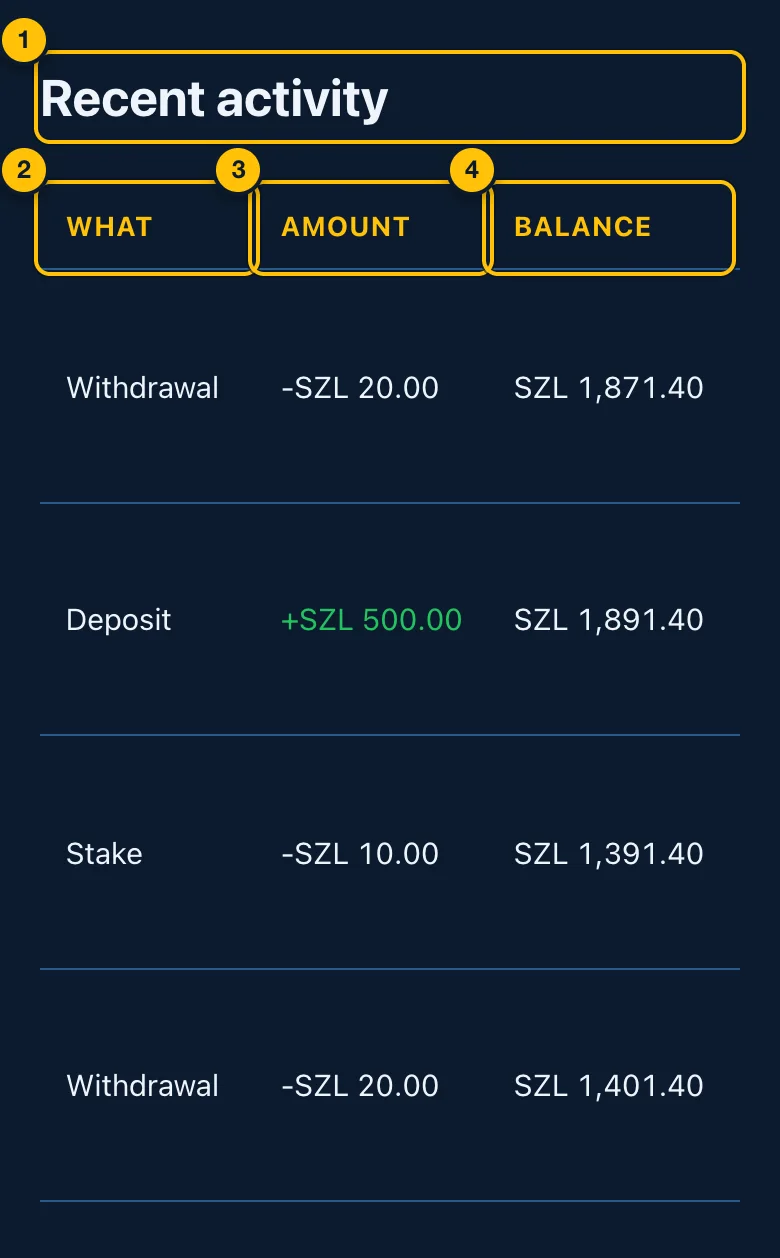
- Recent activity — every movement of money in or out of your balance, newest first.
- What — what it was: Deposit, Stake, Winnings, Stake refunded, Pool entry, Pool prize, Pool refunded, Withdrawal, Withdrawal paid, Withdrawal returned, Tournament entry, Tournament prize, Tournament refunded, Referral commission or Adjustment.
- Amount — money in is green with a +; money out has a −.
- Balance — your balance straight after it.
On a phone, swipe the table sideways to see the last column, When.
11. Refer and earn
Every account has a referral code. When somebody signs up with it, you earn 1% of the pot of every staked match they play — win or lose — for 12 months from the day they sign up. It is paid out of the platform's 10% fee, so it costs them nothing. Open the menu (☰) and tap Refer & earn.
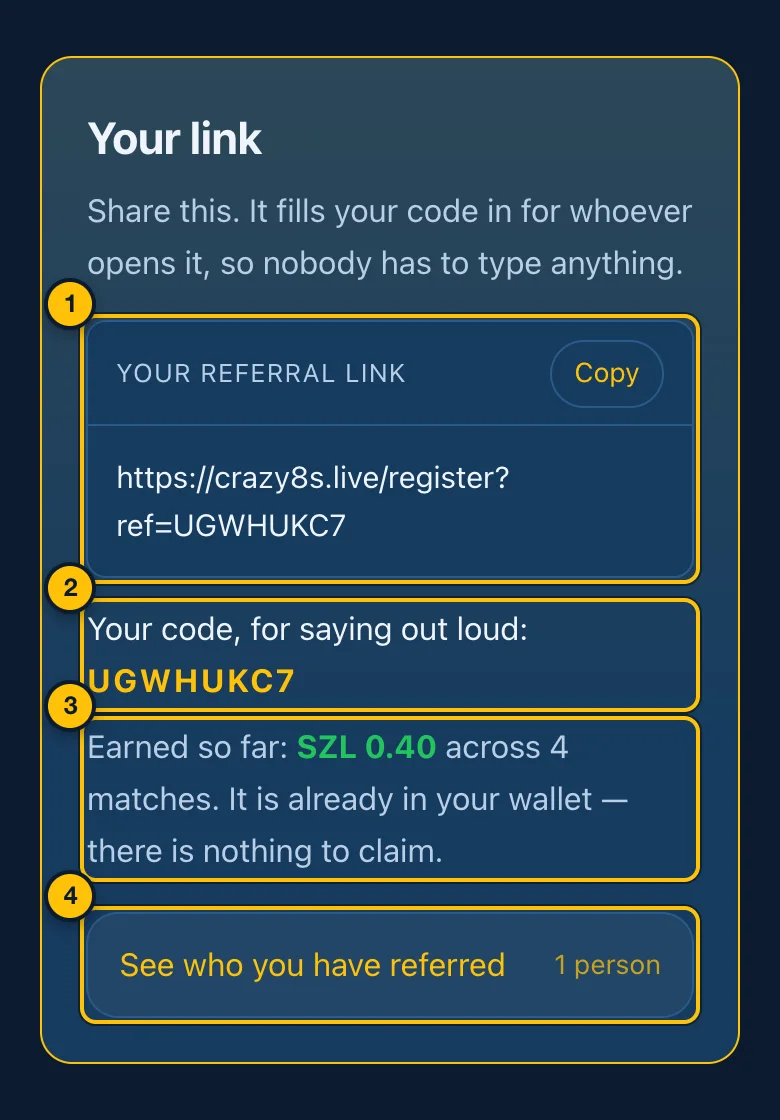
- Your referral link — share this. It fills your code in for whoever opens it. Tap Copy to copy it.
- Your code — the same code, for saying out loud. Somebody who did not use your link can type it when they create their account. It cannot be added to an account afterwards.
- Earned so far — what your referrals have earned you, and from how many matches. It is already in your wallet; there is nothing to claim.
- See who you have referred — the list of people (below).
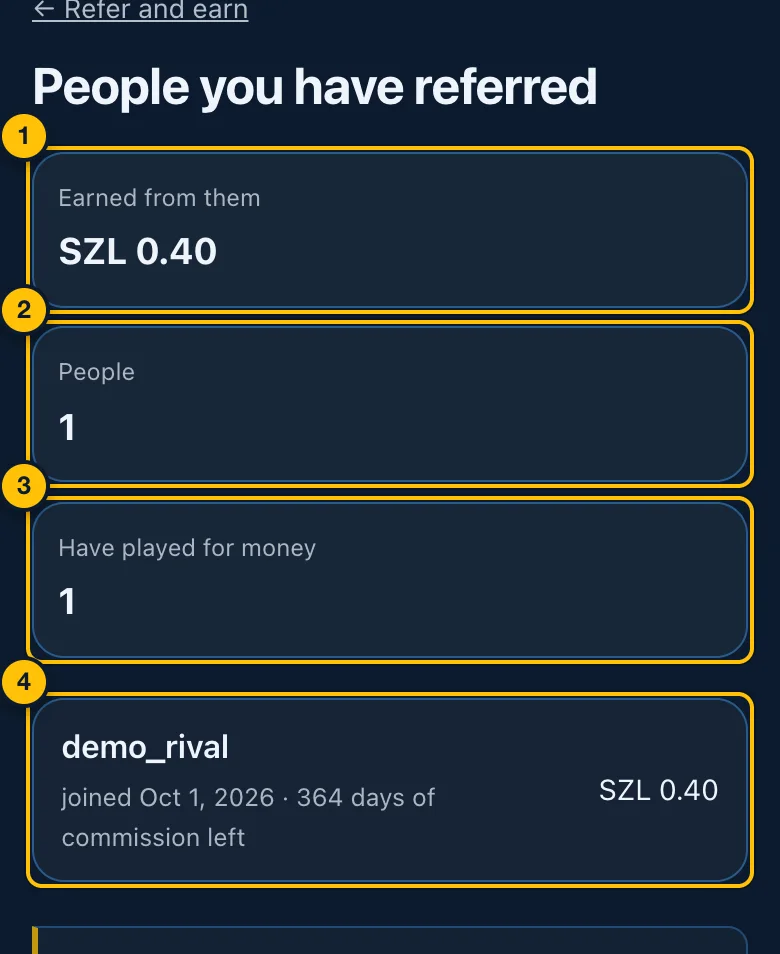
- Earned from them — in total.
- People — how many signed up with your code.
- Have played for money — how many of them have played a staked match.
- One person — their display name, when they joined, how many days of commission are left, and what they have earned you (no staked matches yet until they play for money).
Further down the Refer & earn page:
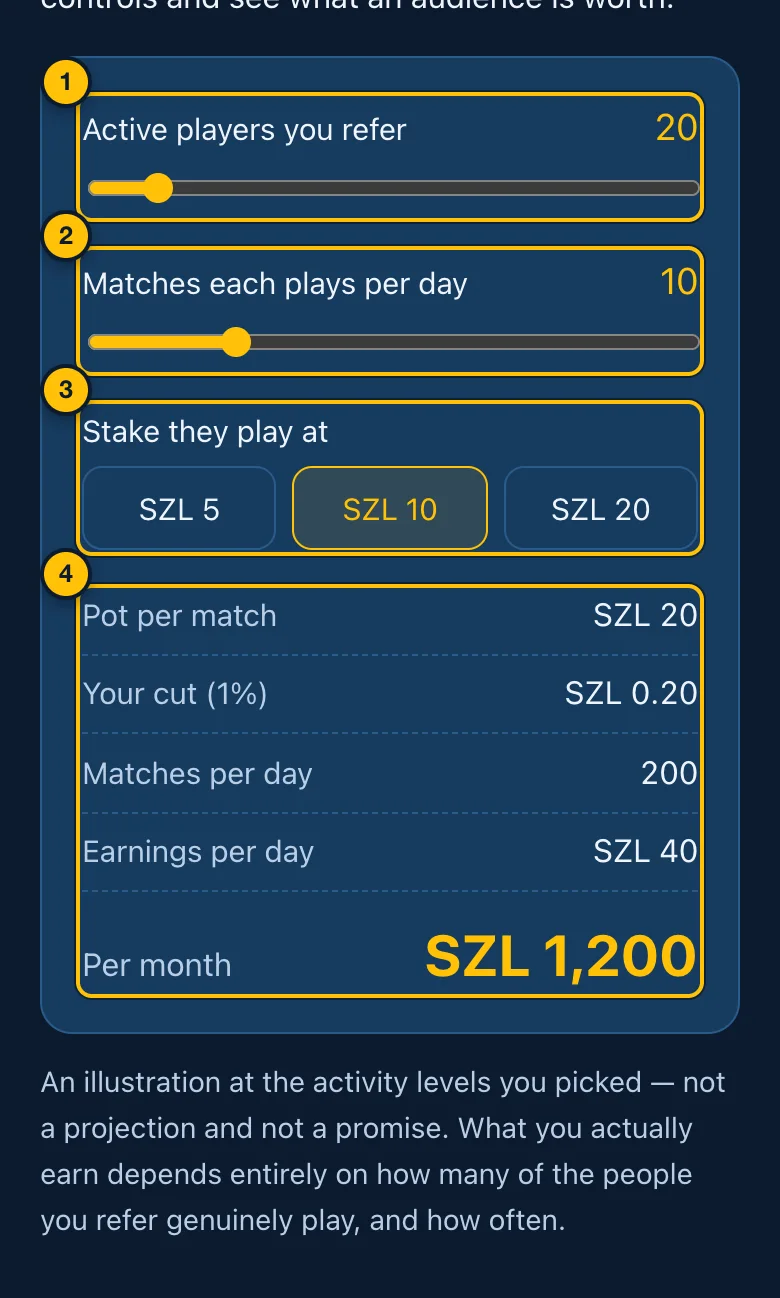
- Active players you refer — slide to choose.
- Matches each plays per day — slide to choose.
- Stake they play at.
- What that would pay — per match, per day and per month. An illustration, not a promise.
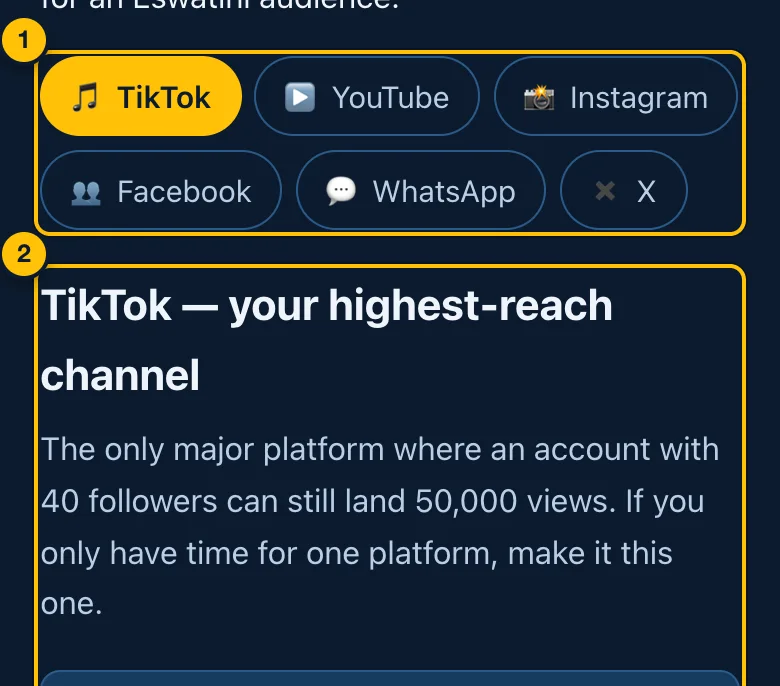
- Platforms — TikTok, YouTube, Instagram, Facebook, WhatsApp, X. Tap one.
- Advice for that platform — what works there.
After these come rules for every platform, mistakes to avoid, ready-made posts with your link already in them (tap a block, then Copy), a first-week plan, press coverage, questions and answers, and the programme's fine print. Practice matches earn no commission, and you cannot refer yourself.
12. Your standing
Open Standing from the footer.
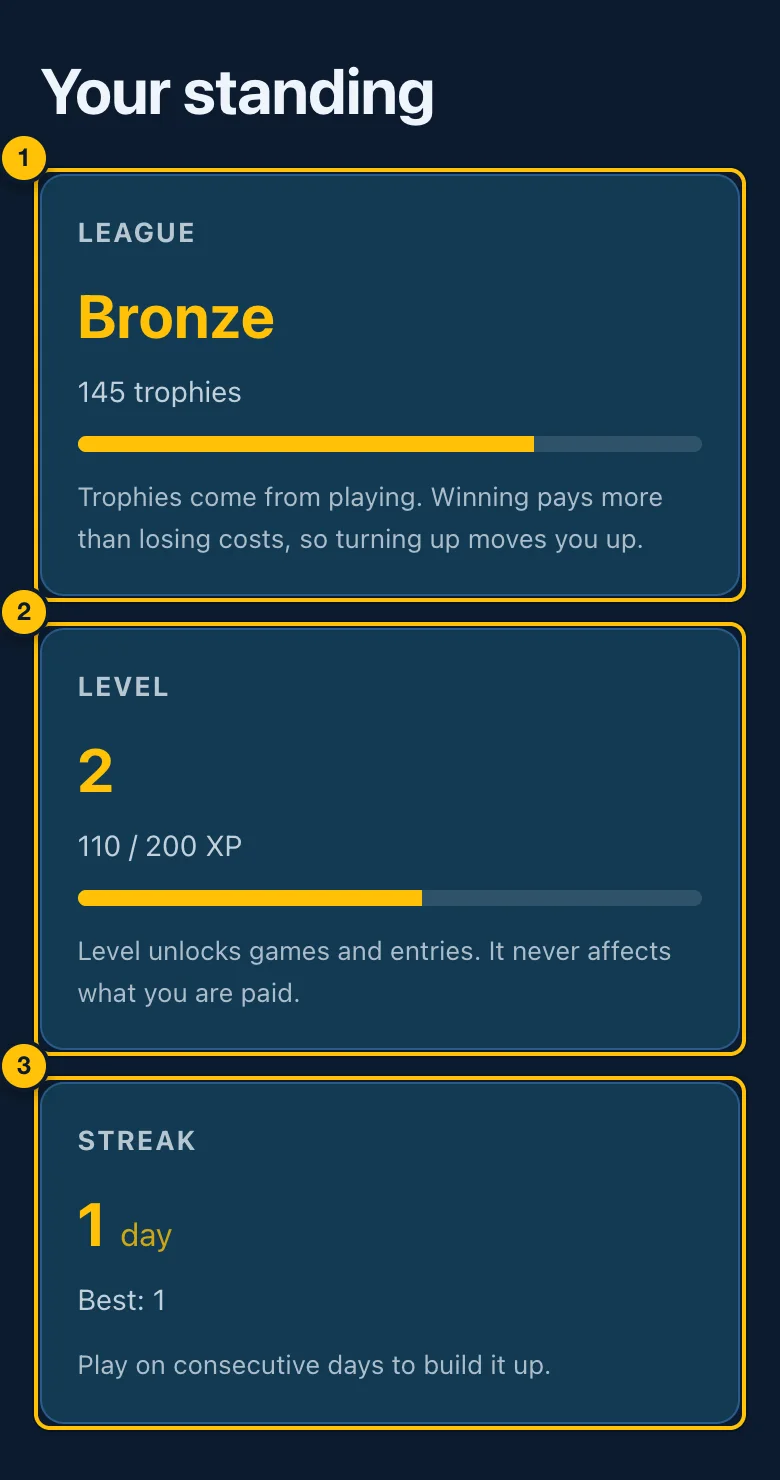
- League — Bronze, then Silver, Gold, Platinum, Diamond and Champion. The bar shows how far through this league you are. Trophies come from playing; winning gives more than losing takes.
- Level — goes up with XP from playing. The bar shows progress to the next level. Your level never affects what you are paid.
- Streak — how many days in a row you have played, and your best. A streak can bank extra practice runs, shown here.
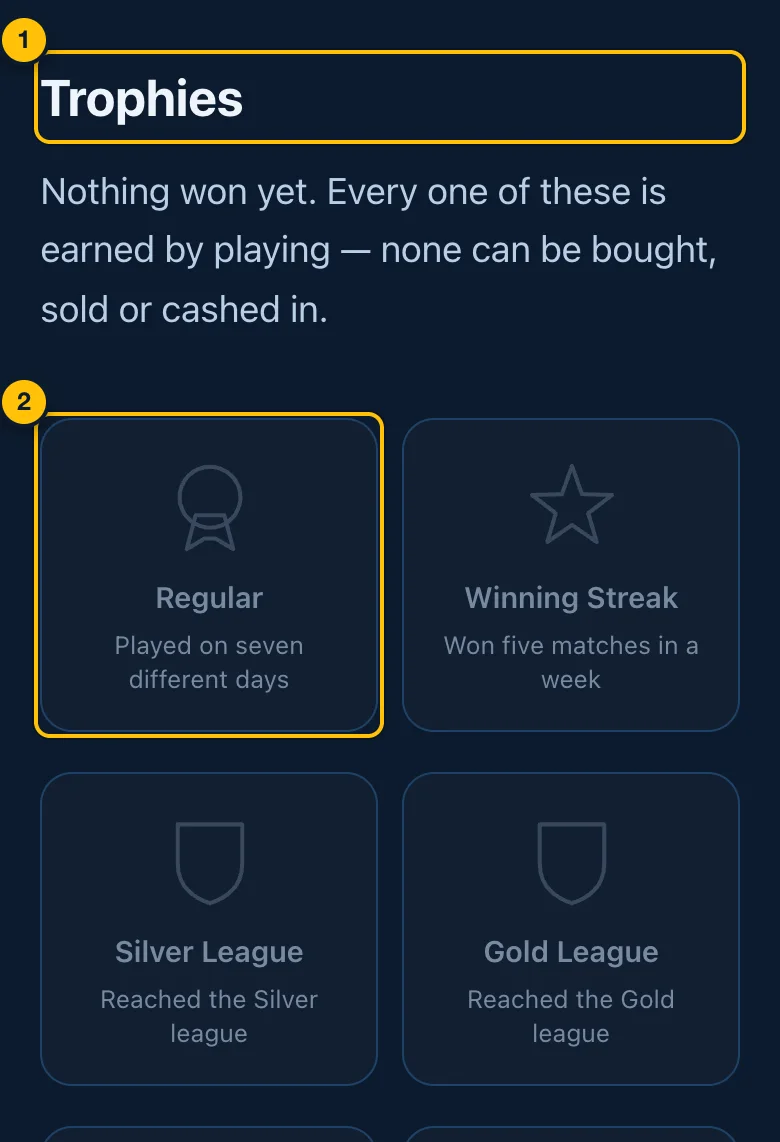
- Trophies — awards for things you have done. None can be bought, sold or cashed in.
- A trophy — its name and what earns it. Ones not yet won are faded.
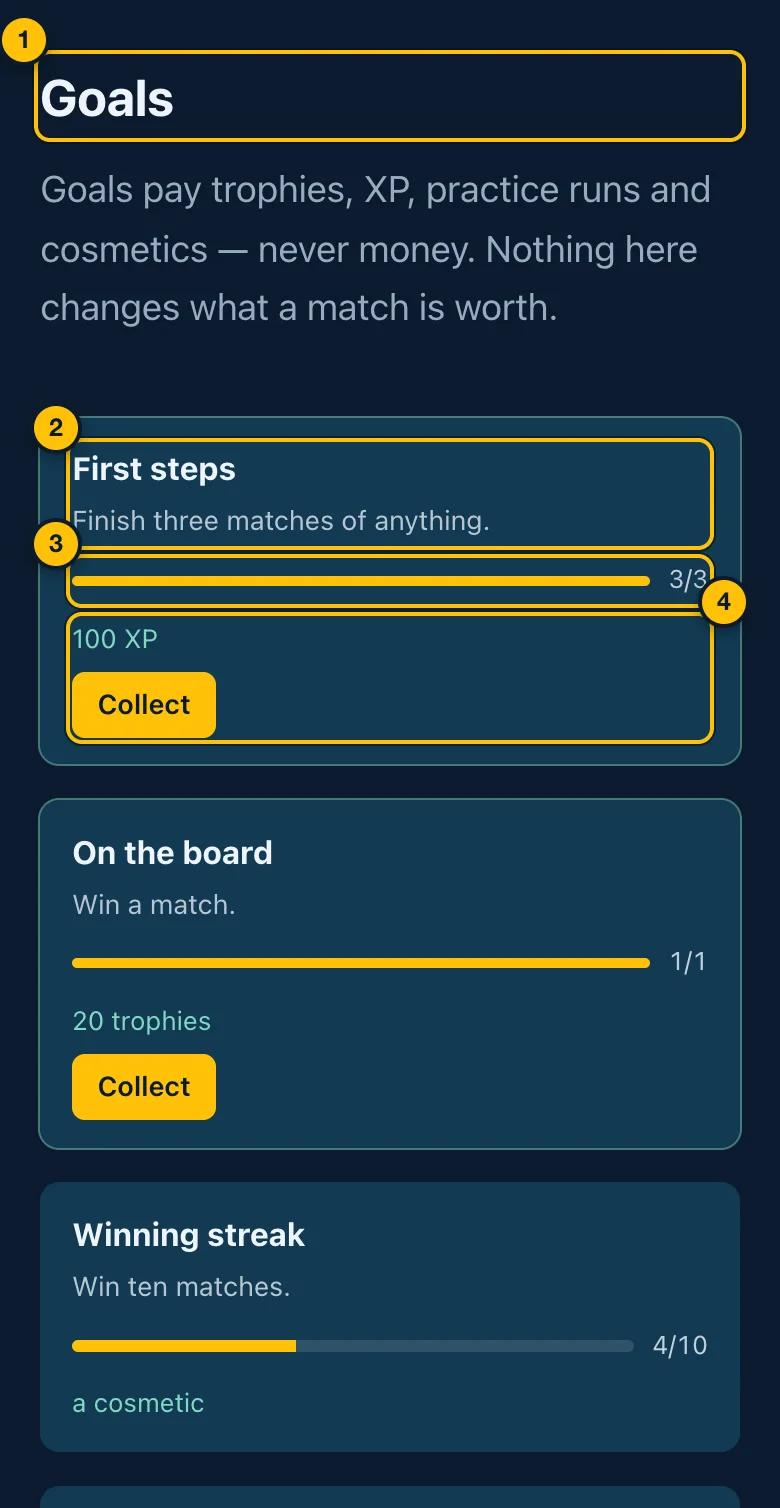
- Goals — small targets. They pay trophies, XP, practice runs and cosmetics, never money.
- A goal — its name and what to do.
- Progress — how far along you are (e.g. 3/3).
- The reward — and, when the goal is done, Collect to take it. A collected goal reads Collected.
13. Information pages
All in the footer (and How it works, Fair play and Refer & earn in the menu before you sign in):
- How it works — creating an account, practising, staking, the platform's fee, and withdrawing.
- Fair play — how games are kept honest: the rules run on Crazy8s's servers, your hand stays private, and results are checked rather than taken from your device.
- Play responsibly — keeping play under control, warning signs, and where to get help.
- Terms of service and Privacy policy — the agreements you accept when you create an account.
- Build a game — documentation for people who make games, and where this manual is listed:
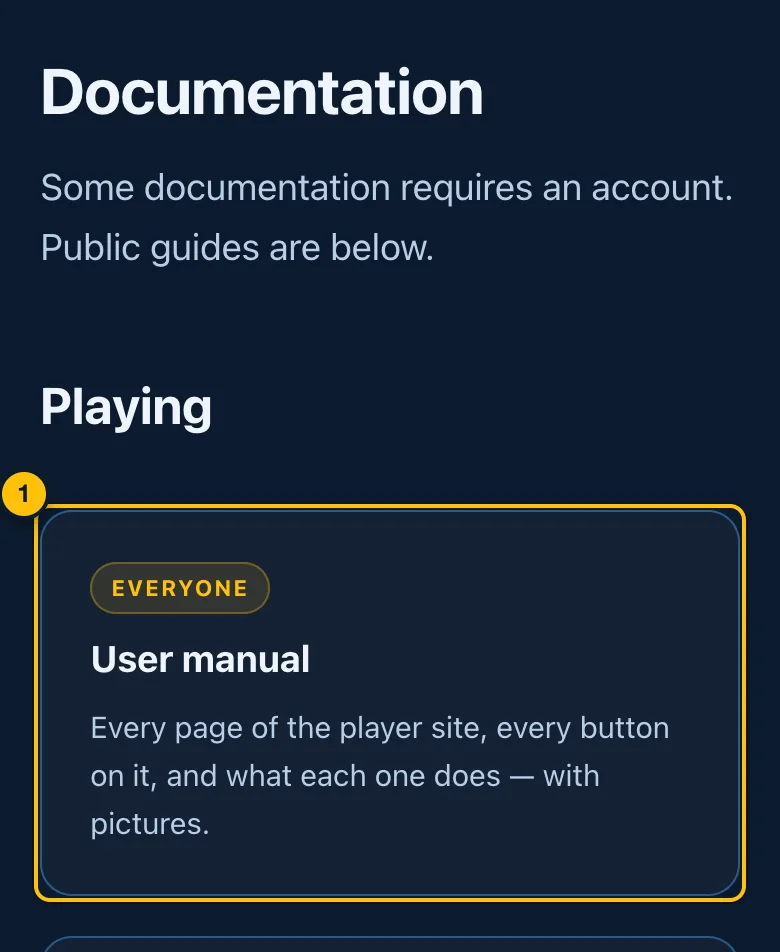
- User manual — this page, under Playing.
14. When something goes wrong
| What you see | What it means | What to do |
|---|---|---|
| A stake is faded and cannot be tapped | Your balance is less than the stake | Add money, or pick a smaller stake or Free |
| Practice only for now | Real-money play is paused across the site | Practice still works, and your balance is safe. Try again later |
| Waiting for another player… for a long time | Nobody else is at that stake right now | Pick a green stake, or tap Leave and get my stake back |
| Connection lost — reconnecting… | Your connection dropped | Keep the page open. Your seat is held for 30 seconds |
| Match stopped | The match could not run | If you were charged, the stake is returned automatically |
| The game could not start | The game did not load on your device | Nothing was staked or spent. Try again; if it keeps happening, try a private window (a browser extension may be blocking it) |
| That is today's free practice used up | You have used today's free runs for that game | Play a match, or practise a different game. They reset each day |
| That run did not go through | A pool run could not be started or counted | Check Your pools. If it could not be counted, your stake is returned |
| A pool is still waiting hours later | Not enough players have played it | It pays when it fills, or returns every stake 6 hours after its first score |
| That payment did not go through | The deposit was declined or not approved | Nothing was taken. Try again and approve the prompt on your phone |
| Still waiting on a deposit | You may not have approved the prompt in time | Check your balance and history in a minute. If it went through, it shows there |
| The browser outlines the mobile money number and says it must be 8 digits starting 76 or 78 | It is not an MTN Mobile Money number — it starts 79, or has a digit too few or too many. Nothing was sent | Type an MTN Mobile Money number: 8 digits starting 76 or 78, e.g. 76 123 456 |
| that does not look like an MTN Mobile Money number | The same, caught after sending | As above |
| that password is not correct when withdrawing | The password does not match your account | Type your Crazy8s password (not your MoMo PIN) |
| your balance is not enough for that withdrawal | You asked for more than you have | Withdraw a smaller amount |
| You have used all 5 of today's goes | Game of the Week goes are used up | The next day opens at 20:00 |
| No password reset email | It went to spam, the address is not the one you signed up with, or you asked more than three times in an hour | Check spam and junk. Ask again with the address you signed up with, or wait an hour |
| This link has expired or has already been used (password) | Reset links work once, for 30 minutes, and only the newest works | Tap Send me a new link |
| This link has expired or has already been used (email) | Confirmation links last 24 hours, and only the newest works | Account → Send the confirmation email again |
| we've just sent one — give it a couple of minutes | A confirmation email was sent less than two minutes ago | Wait for it, and check spam |
| we've sent several today | Five confirmation emails have been sent today | Write to support@crazy8s.live |
| Emails to this address are bouncing | Emails to your address cannot be delivered | Write to support@crazy8s.live to change it |
| confirm your email address before withdrawing | A confirmed address is required to withdraw | Confirm it from the email, or send a new link from your account page |
| No receipts or reminders by email | Your address is not confirmed yet | Confirm it — until then only confirmation and reset emails are sent |
| There is no Game of the Week running right now | None is scheduled, or it has finished | Check the home page later |
To contact support, write to support@crazy8s.live. If it is about a particular match or pool, copy its reference from the result panel or the pool's page and include it.
15. Words used on Crazy8s
| Word | Meaning |
|---|---|
| Balance | The money in your Crazy8s wallet, ready to stake or withdraw |
| Stake | What you put in to play a match or a pool: SZL 5, SZL 10 or SZL 20 |
| Pot | All the stakes in a match or pool added together |
| Platform fee | The 10% of a pot Crazy8s keeps |
| Free | Playing with nothing at stake |
| Practice run | A free solo game on your own, not ranked. 10 per game per day |
| Pool | 5 players' scores on the same board, ranked; the top three are paid |
| Run | One play of a solo game for a pool |
| Go | One play in a tournament or the Game of the Week |
| Head to head | A live match against one other person |
| Friend code | Your 8-character code for playing a particular friend |
| Referral code | Your 8-character code that earns you commission on the people you refer |
| Reference | The number of a match or pool, for asking support about it |
| Settle | When a match, pool or tournament is worked out and its winners are paid |
| Voided / cancelled | A pool or tournament that did not run; every stake or fee is returned |